
See which requirements a change affects
Inspect requirement evidence for individual or bulk changes, including parent assemblies in the current BOM. Save the report for the review round and revisit it after approval or rejection.
Make ManyRows your product source of truth. Connect PLM, PIM, sourcing, costing and quality around the same records, then configure the fields, relationships and workflows your team needs.
Connect requirements, 3D models, process plans and quality evidence to the product definition. Review the change and preserve what the next person needs.
Inspect requirement evidence for individual or bulk changes, including parent assemblies in the current BOM. Save the report for the review round and revisit it after approval or rejection.
Sequence manufacturing operations, assign required tools and resources, and attach exact released work instructions. An independent reviewer releases each process-plan revision.
Cut X/Y/Z cross-sections, isolate components and measure approximate distances between mesh surfaces. Review the model on a phone or desktop, with the captured revision kept in view.
Prepare complete FMEA and production control-plan print/PDF copies. Keep failure modes, controls, actions and approval evidence readable for an offline review.
Capture a released or supported historical BOM and download its reviewed supplier package. Keep the captured component files and documents together through later live edits.
Choose dates and quality areas, then download linked CSV evidence, calibration certificates and a verification manifest in one ZIP. The package states its scope and exclusions.
Connect assortments, selling prices and channel publication to the product record. See what the team planned and what it actually reviewed.
 Click to enlarge ↗
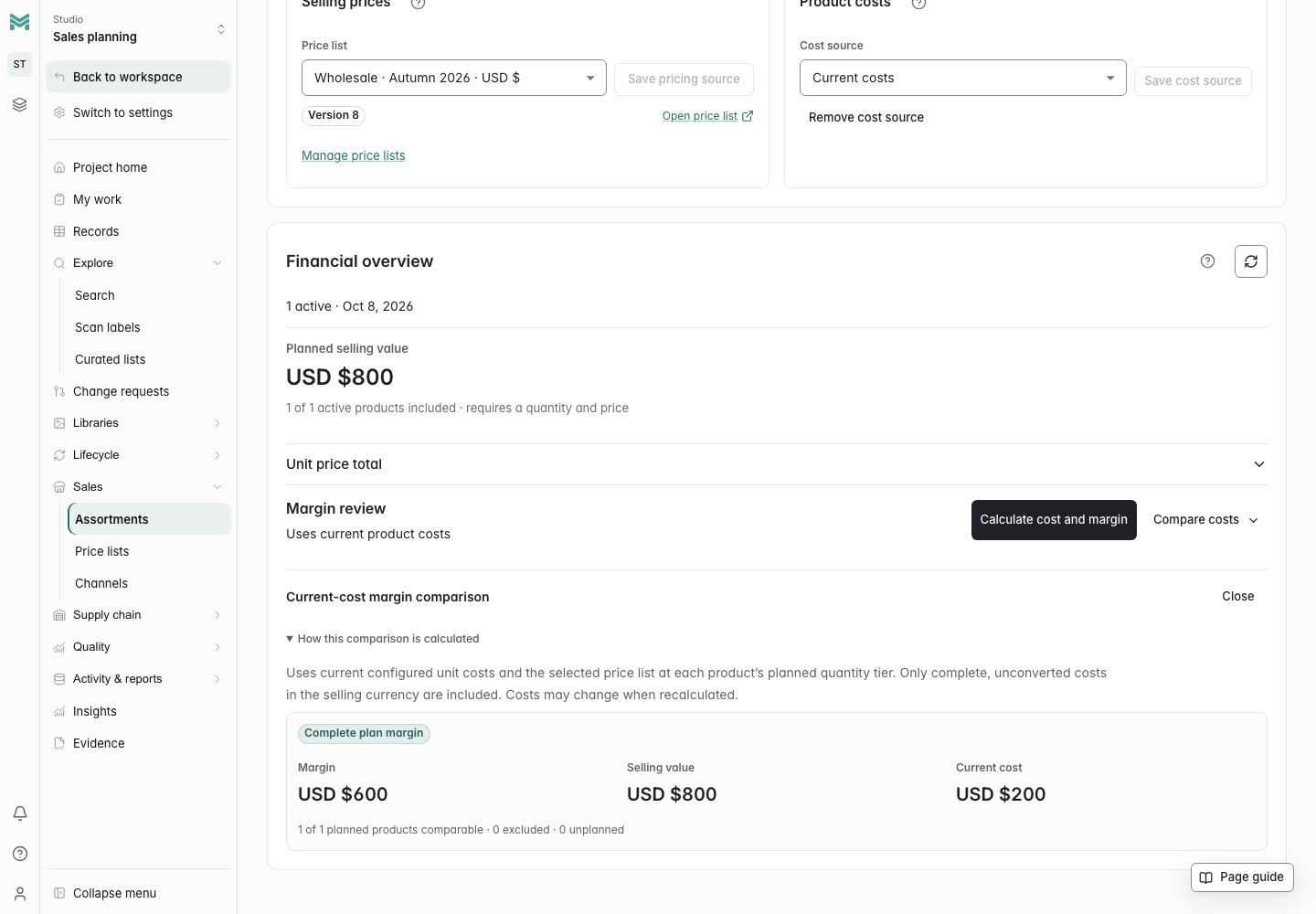
Review planned quantities, price tiers and current costs together. Compare scenarios and follow each product’s supporting context.
 Click to enlarge ↗
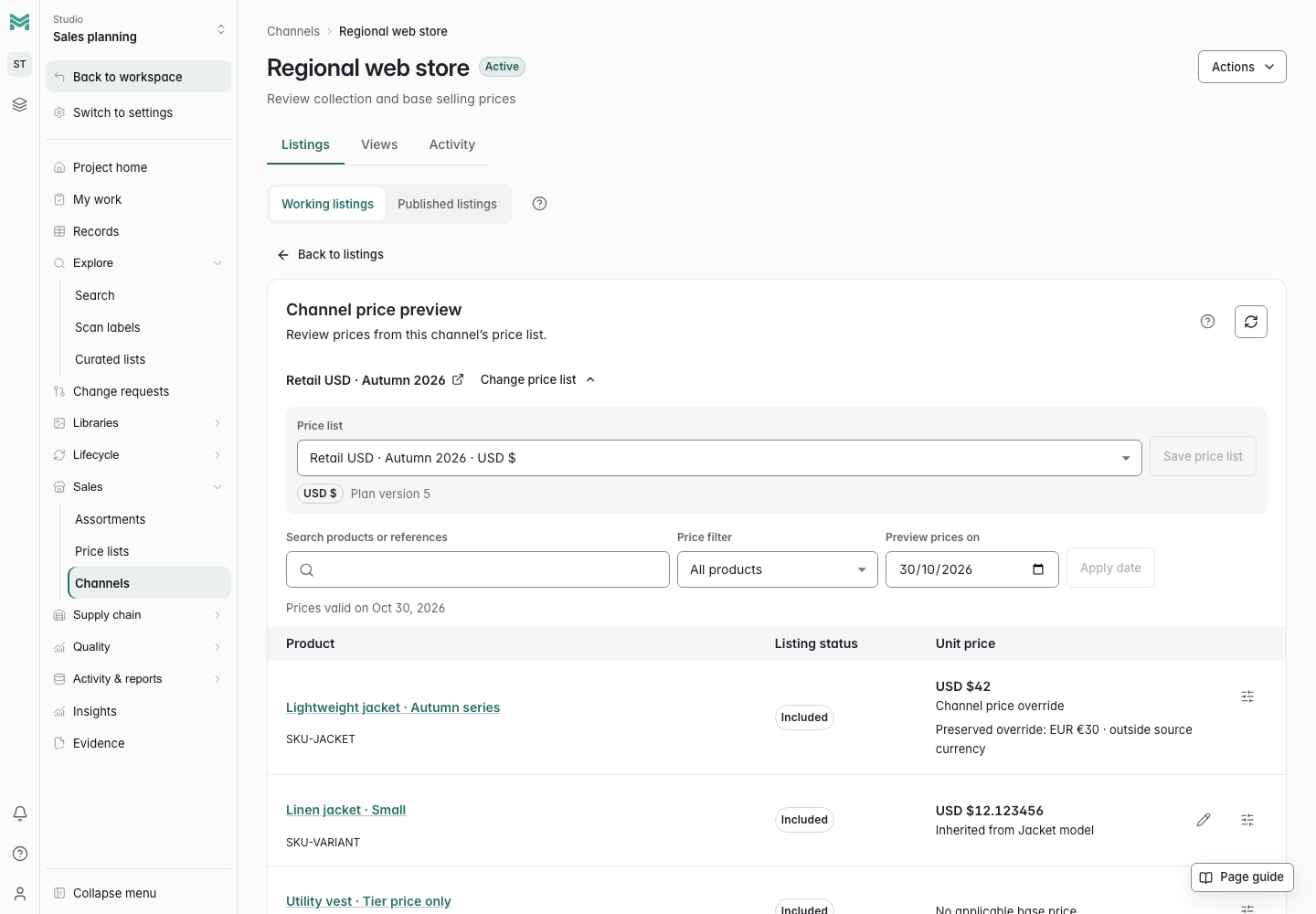
Connect selling price lists to a channel and review prices for the selected date and quantity. Keep missing prices and currency differences visible.
 Click to enlarge ↗
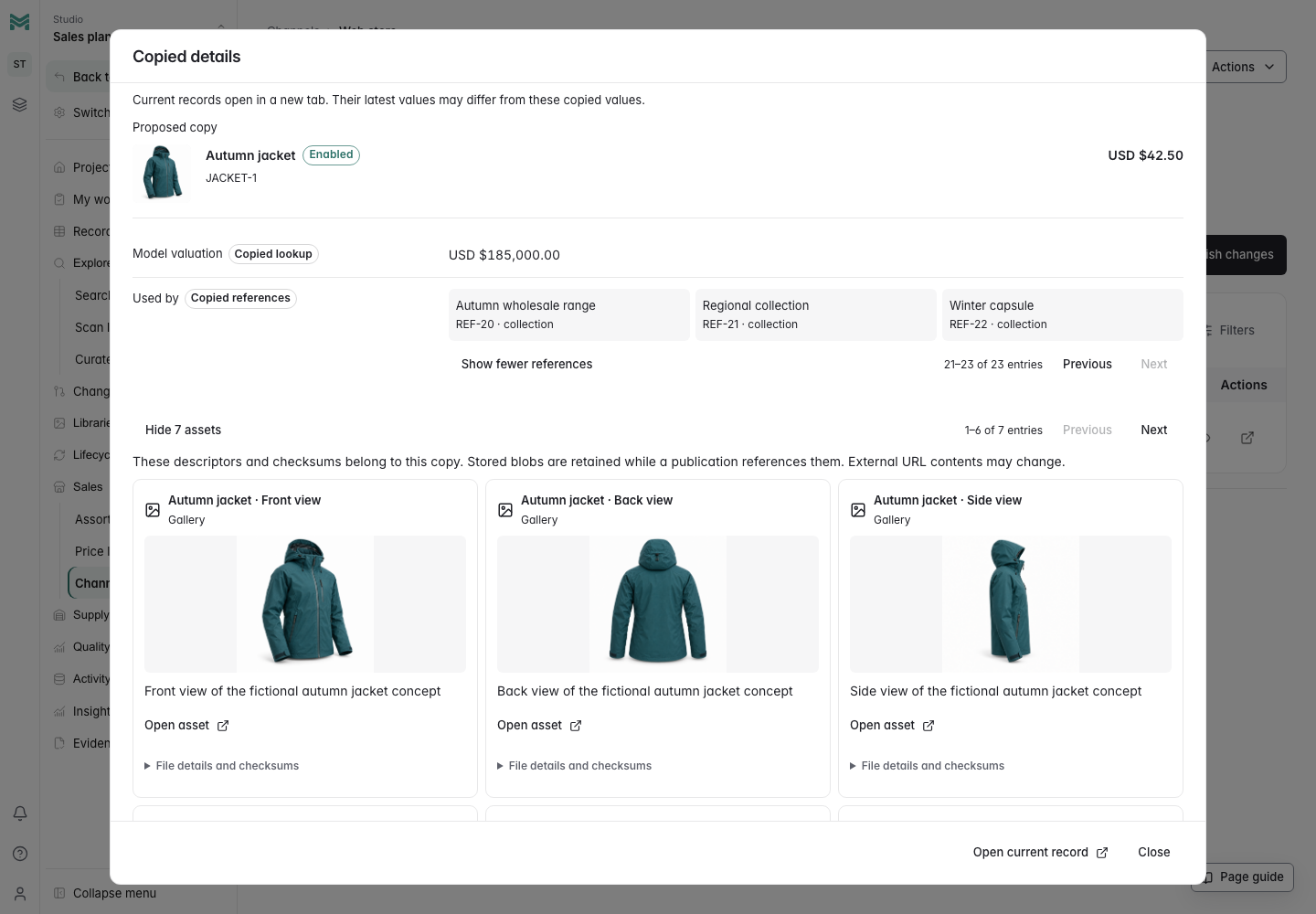
Review required product content, prices, images and derived values, then retain the publication copy in ManyRows. Delivery to an external storefront needs a separate integration.
Give parts, assemblies and related designs a consistent structure.
Give each part, material, and product the fields it needs. Connect suppliers, specifications, and assemblies so a record leads to the context behind it.
Connect parts and quantities in a multi-level bill of materials. Trace shared parts, compare baselines and retain reviewed handoffs. Build process plans against a released BOM, with ordered operations and exact work instructions.
Build consistent part numbers, coordinate family variants, and advance revision labels through reviewed changes. Keep the policy and allocation behind each issued identity.
Create variants without losing their origin. Compare related designs, deliberately copy the definitions you need, and give each member its own BOM, revisions and approvals.
Find the right part, keep recurring work in saved views, and update records in bulk. Governed edits go through the same review process as individual changes.
Bring supported CAD assemblies into ManyRows with local snapshot exporters. Review parts and quantities, retain source history, and route governed BOM changes through approval.
Trace affected requirements, inspect quality evidence and retain the reports behind each review decision.
Review changes to specifications, BOMs and governed product records before applying them. Inspect affected requirements and parent assemblies, then retain the evidence with the review round and decision.
Check the evidence for a product revision, certify it through human review, and release an exact assembly configuration. Carry that history into rollout and service.
Review physical samples against exact approved specifications. Connect inspections, FMEA, production controls and corrective actions to the product revision. Prepare complete print/PDF review copies and scoped quality audit packages.
Give the factory a clear specification for every size. Check sample fit, find measurements needing attention and preview the size split for a production order.
Follow ingredients into finished outputs. Balance each output’s nutrient shares, compare proposed label values with approved estimates, and retain the sources behind every review.
Trace material composition and source-based impact estimates. Review certificate coverage across the BOM, inspect exact approved revisions and plan renewal work.
Carry product context into costs, material plans, supplier work and sales content.
Compare supplier quotes, cost a formula batch and trace an intermediate stage into the finished product. Save the assumptions behind each decision without changing live prices.
Set an assortment target, then turn product structures and orders into material requirements. Connect plans to purchasing evidence and milestones with owners and dates attached.
Follow the supplier decision from quote to purchase order, dispatch, receipt and return. Keep the commercial history connected to the product and its quality evidence.
Keep drawings, specifications and test reports beside the product. Inspect 3D cross-sections and approximate surface distances on phones and desktops. Control document revisions and preserve the exact evidence behind a release.
Prepare channel content, images, assortments, and selling prices from the same product records you develop and approve. Review changes, save a publication, and export the information your sales tools need.
Bring reviewers, product teams, and connected agents into the same workflow. Follow pending decisions across projects and share product records with suppliers.
Explore connected product work through actual ManyRows screens and example data.
Connect size-specific BOMs, shared parts, supplier lots and physical pilot builds.
Machine BOMs, prototype corrections, and pilot builds.
Model variants, sample tests, and pilot production.
Material costs, artwork revisions, and print proofs.
Materials, finishes, BOMs and maker samples.
Connect vehicles, configurations, running, service and local rule evidence across racing categories.
Connect design BOMs to installed serials, component hours and inspected maintenance history.
Work through graded charts, sample comparisons, supplier follow-up and order size allocations.
Connect material BOMs, graded fit specifications and saved physical sample reviews.
Review linked certificate dates, exact-revision BOM coverage and 30/60/90-day renewal windows.
Review recipes, batch yields, nutrition estimates, allergen evidence and label decisions.
Connect formula costs and packaging to observed outcomes, retained failures and fresh retests.
Review alternates and lifecycle findings, then trace the affected product BOMs and certificate evidence.
Review customer specifications with current BOM evidence and start a fresh linked revision.
Follow formula batches into physical lots, consumed inputs, quality holds and inspected internal release.
Connect supplier sample decisions, planned quantities and selling prices to retained channel content.
Create a workspace, add your records, and invite your team.