
What is PIM?
PIM stands for product information management. It is the practice, and the software, for organizing and enriching the product information used in sales and marketing. A PIM system brings product attributes, descriptions, images, translations, and channel requirements together so teams can prepare consistent information for each audience.
PLM manages the product’s definition and development. PIM prepares the information people need to understand and buy it. Connecting them keeps the product you describe tied to the product you actually make.
What does a PIM system manage?
The same product may need different descriptions, images, languages, and required fields for each sales channel. PIM gives that work a shared home.
Product facts
Names, reference numbers, dimensions, materials, and other attributes that help customers understand the product.
Content and languages
Product titles, descriptions, translated copy, and wording tailored to each channel and audience.
Images and assets
Product photography, image order, and alt text chosen for the place where the information will appear.
Channel readiness
Assortment membership, required content, and checks that help a team decide what is ready to publish.
PLM vs PIM: what is the difference?
They focus on different work around the same product. These are typical responsibilities; the exact boundary depends on your team and software.
| Focus | PLM · Product lifecycle management | PIM · Product information management |
|---|---|---|
| Main question | What are we making, and which definition is approved? | How should we describe this product for each sales channel? |
| Core information | Specifications, BOMs, formulas, drawings, suppliers, and revisions. | Descriptions, product attributes, translations, images, and channel requirements. |
| People involved | Product development, engineering, sourcing, and quality. | Product content, marketing, merchandising, and sales. |
| Review decisions | Approve changes to the product definition and, where needed, certify a revision for release. | Review the content and selection prepared for a channel or language. |
| Typical output | A product definition and its supporting development and approval records. | Product information prepared for a website, store, marketplace, or catalogue. |
| When something changes | Review the effect on components, specifications, costs, and existing products. | Review affected descriptions, attributes, images, and channel publications. |
A product can be approved for manufacture while its channel content still needs work. A polished description also does not establish that the underlying product is approved. Both decisions need an owner.
Read the PLM guideWhy combine PLM and PIM?
A material change can affect the BOM, the specification, and the sales description. A connected product platform gives those teams a common product identity and a clearer handover.
Enter shared facts once
Keep dimensions, materials, and other product facts connected to their source. Reduce the repeated copying that lets separate spreadsheets drift apart.
Give content a product context
Prepare customer-facing information alongside the specifications and evidence behind it. Keep marketing wording separately authored and reviewed.
Carry changes through to sales
When the product changes, use the connected record to identify the content that needs another look. Assign the review before publishing an updated description.
Keep a record of what was shared
Connect the product’s revision history with reviewed channel publications so the team can distinguish current work from the copy it previously published.
One material change. Two connected workflows.
Imagine a team replaces the fabric in a backpack. The product record provides the link between development and the sales information.
Update the product
The development team updates the material, specification, and BOM. If change control is enabled, it proposes and reviews those edits through a change request.
Review the channel content
The content team checks the material description, care instructions, translations, and photography for the affected backpack. Marketing claims need their own review.
Publish the reviewed copy
The team reviews the channel publication and saves a new copy. The previously published information stays readable, and the sales tools receive a separately reviewed update.
Use the features you need. Add more as you grow.
ManyRows is a flexible, connected product platform. You do not need to use every feature. Start with a product catalogue and channel content, a BOM, or a shared product model, then add the workflows your team needs.
You can turn off change-control requirements for record types where you want direct editing. Administrators configure whether creating or editing each type requires a change request, so you can keep formal review where it helps and a simpler workflow elsewhere.
Existing permissions, frozen records, and release-control rules still apply. Channel publication review remains a separate step.
How PLM and PIM connect in ManyRows.
Product records connect specifications, BOMs, and changes with channel and language-specific copy, ordered images and alt text, assortments, and selling prices. Check content requirements, review a publication, and retain the copied information you approved for that channel.
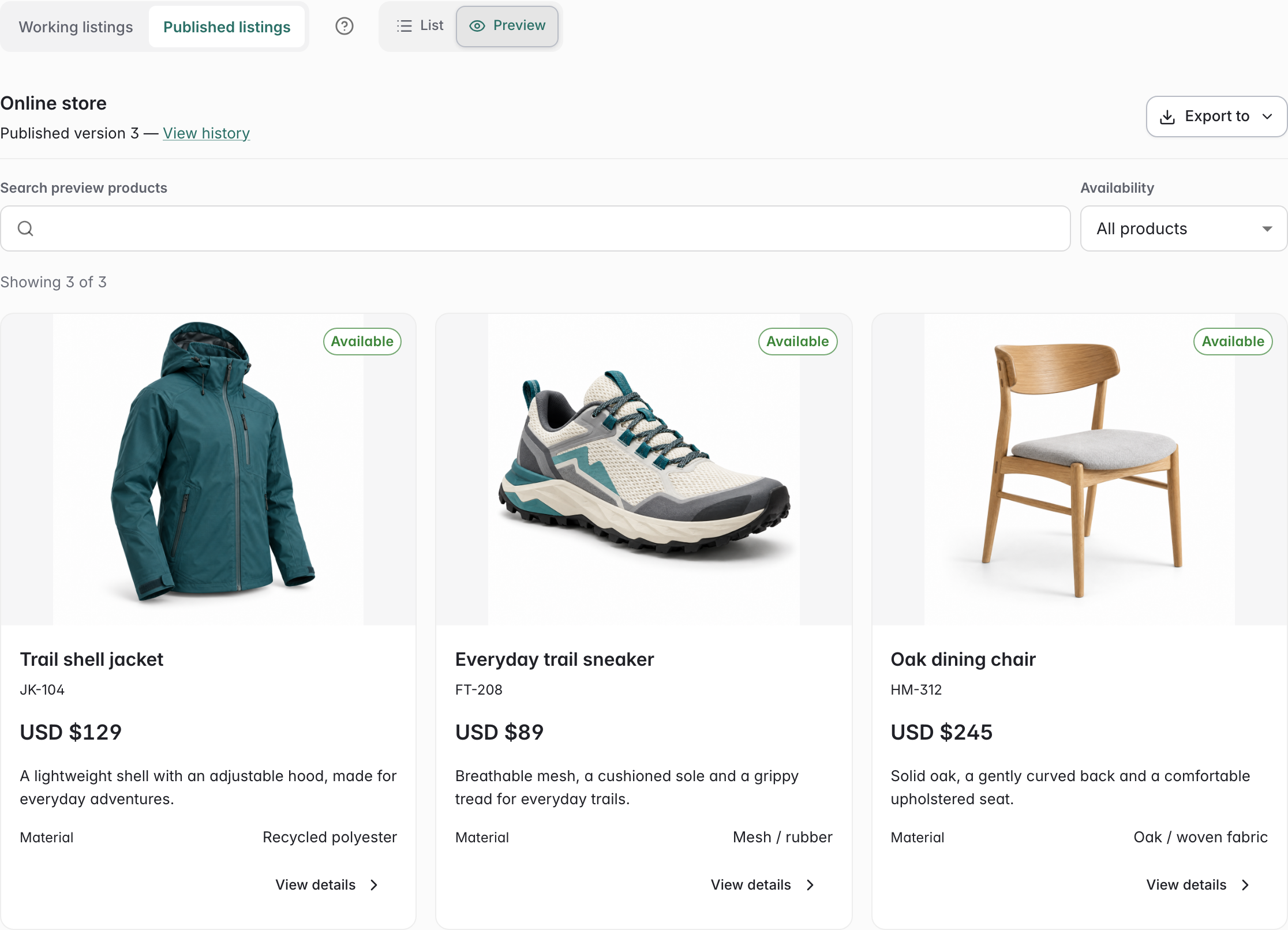 Click to enlarge ↗
From a reviewed publication to your sales tools
Export saved publications with reusable Shopify, WooCommerce, or General CSV templates for a separate store import. Later source edits need another review and publication. Automatic storefront synchronization requires a separate integration.
For release-controlled products, publication requires a current certified revision and any applicable frozen configuration release. Saved product copies retain those release identities; channel copy remains separately authored marketing content.
Questions about PIM and PLM
- What does PIM stand for?
- PIM stands for product information management: organizing, enriching, and preparing product information for sales and marketing channels.
- Does PIM replace PLM?
- PIM and PLM serve different needs. PLM manages product definitions and development; PIM manages the information prepared for sales channels. A connected platform can support both around shared product records.
- Do we need both PLM and PIM?
- Start with the work your team needs to manage. A team preparing a catalogue may start with PIM. A team defining assemblies may start with PLM. Combining them is useful when development decisions and sales information depend on the same product facts.
- Can we use ManyRows without change control?
- Yes. You do not need to use all the features. Administrators can turn off change-request requirements for creating or editing selected record types. Permissions, frozen-record protections, and release-control rules still apply; channel publication review is separate.
- Does ManyRows automatically update our storefront?
- ManyRows retains reviewed channel publications and exports them through reusable CSV templates. Import into your store is a separate step. Automatic storefront synchronization requires a separate integration.