
Understand the product
Explore the schema, read records, trace BOM structure, and follow where-used before planning the next step.
Connect an agentAI agents + product teams
A strongly typed model. Real relationships. A clear path from proposed work to approved change. Connect your agents to the same product record your team trusts.
Read the types, relationships, and current product records.
Validate values and stage proposed changes for review.
The assigned people review the change and preserve the decision.
Useful work starts with context
Give agents an explicit model of your product: the meaning of each field, the relationships between records, and the rules for making changes.
Explore the schema, read records, trace BOM structure, and follow where-used before planning the next step.
Connect an agentWith schema permissions, an agent can discover existing types, validate additive definitions, and help prepare changes to the product model.
Explore modellingUse stable business keys, validation, and version checks to connect product records to the systems your team already uses.
Explore the APIStage edits to controlled records in change requests. The team can review proposed work before the approved product record changes.
Explore change controlKeep the decision with the team
Engineering changes need a clear review trail. Let agents prepare the work, then use change requests to inspect the edits and record the team’s decision.
See how changes work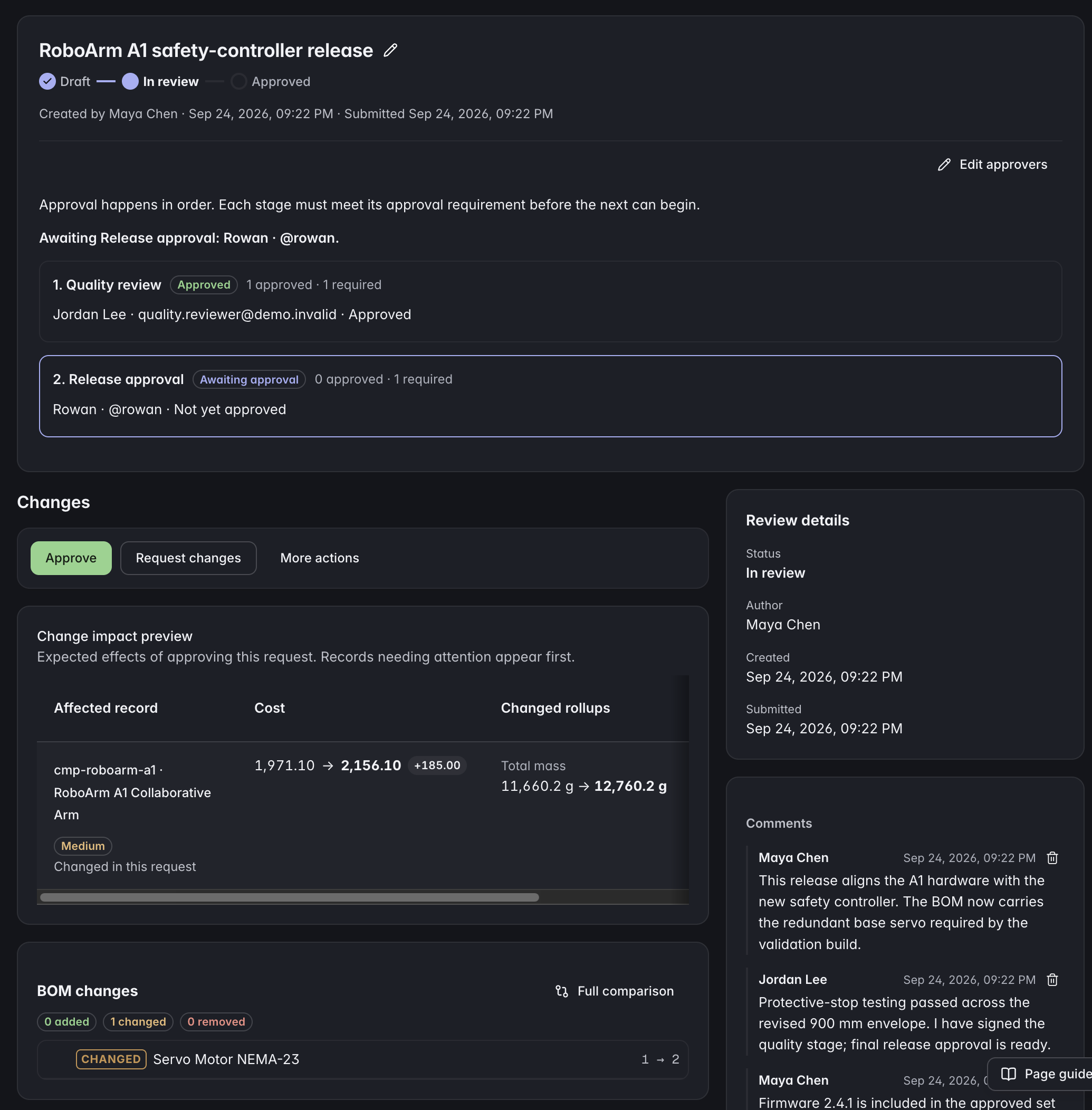 Click to enlarge ↗
Two ways to connect
The hosted MCP server exposes tools for the supported Data API. The connection’s permissions determine which tools are available.
Read the MCP guideUse the JSON Data API for application integrations and automation. Discover capabilities, validate inputs, and make version-aware updates.
Read the API guideBefore you connect
ManyRows exposes its product model and supported workflows through a hosted MCP server and REST Data API. Agents can discover the schema and work with structured product records using the permissions granted to their connection.
Connect an MCP-compatible client to your project’s hosted MCP endpoint. Use OAuth where supported, or a dedicated API key. The documentation covers endpoints, authentication, capabilities, and supported operations.
API-key agents can propose governed changes, but approval and rejection remain human decisions. Change requests preserve the proposed edits and review history.
Yes. Access is bounded by the project and the connection’s permissions. Read-only credentials expose read-safe operations. Schema management requires explicit permission, and workflow rules still apply.
Start with your product
Build the product record your team and agents can work from.