
Product revision certification
Check an approved revision against its release rules, required controlled documents, and inspection evidence. A human records the certification decision; assembly configuration readiness is assessed separately.
Check the evidence for a product revision, certify it through human review, and release an exact assembly configuration. Carry that history into rollout and service.
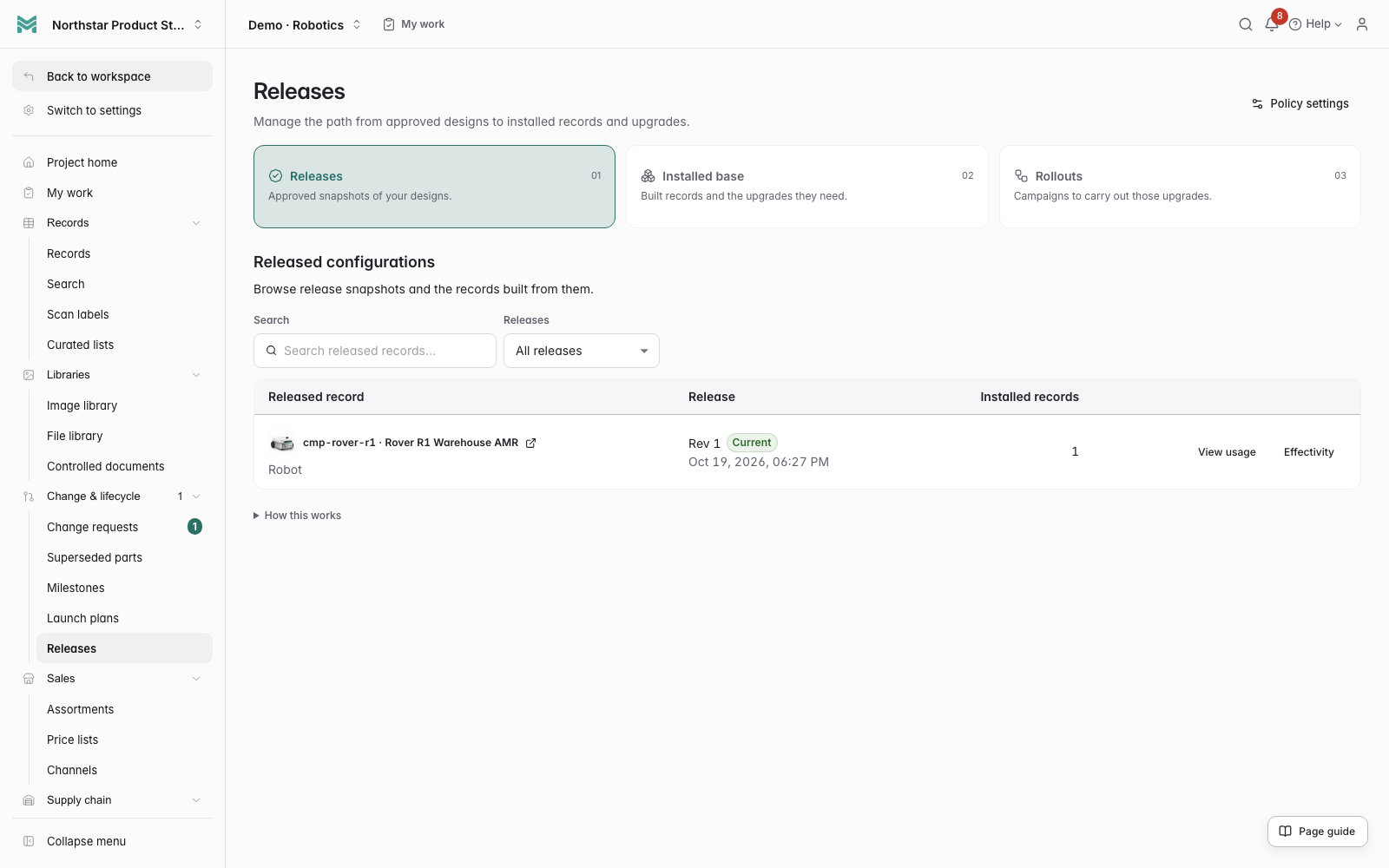 Click to enlarge
 Check an approved revision against its release rules, required controlled documents, and inspection evidence. A human records the certification decision; assembly configuration readiness is assessed separately.
Ask what blocks the latest product revision from release. The brief brings together the revision, document and inspection evidence, source links, and next actions, with restricted or incomplete coverage made explicit.
Read the workflow docsRelease an approved assembly as one exact configuration: its structure, the revision of every controlled component and the certificate that authorized it. The result cannot move underneath you.
Check the assembly and its controlled components for missing approvals, pending changes, archived records, and other blockers before releasing a configuration.
Pin a certificate scheme edition and scope in a release policy. Require usable evidence for the target or selected record types throughout its primary BOM; missing, expired or revision-mismatched receipts block certification.
Read the workflow docsCheck current production mappings before certification and preserve their approved BOM snapshots in the release certificate. Retire an obsolete option combination with a recorded reason while keeping its historical cost, baseline and release evidence.
Read the workflow docsCompare two releases of the same product across both structure and component revisions. Added, removed and revision-changed components are available on screen and as JSON or CSV.
Decide when a release takes effect by date, build, order or batch range, and keep the reason with the decision. The current configuration is resolved from that evidence instead of a manually maintained status field.
Turn a release into a rollout with an owner, priority, start and due dates, completion criteria and a contingency plan. Assign the resulting work in bulk and track each installed record to done or blocked.
Sequence campaigns and see the full chain of work that must finish first. Cycles, missing dates, schedule conflicts and unavailable prerequisites are surfaced before they become a launch surprise.
Starting, resuming and closing a rollout each has its own readiness check. A risk can be acknowledged or waived with an owner, reason and expiry rather than disappearing behind an override.
Spot installed records that no longer match the rollout source, distinguish correctable drift from a source mismatch, and reconcile a live scope after effectivity changes. Closure stays blocked until unexpected configurations are resolved.
Download the campaign timeline, lifecycle decisions, dependency history, amendments, reconciliation and item evidence as a traceable package with integrity digests. The launch record survives after the project moves on.
Explore connected product work through actual ManyRows screens and example data.
Connect size-specific BOMs, shared parts, supplier lots and physical pilot builds.
Machine BOMs, prototype corrections, and pilot builds.
Model variants, sample tests, and pilot production.
Material costs, artwork revisions, and print proofs.
Shared findings, finish specifications, and maker samples.
Connect vehicles, configurations, running, service and local rule evidence across racing categories.
Connect design BOMs to installed serials, component hours and inspected maintenance history.
Review linked certificate dates, exact-revision BOM coverage and 30/60/90-day renewal windows.
Review customer specifications with current BOM evidence and start a fresh linked revision.
Follow formula batches into physical lots, consumed inputs, quality holds and inspected internal release.
Start with your product model, connect the records, and bring your team into the same workflow.