
Change requests
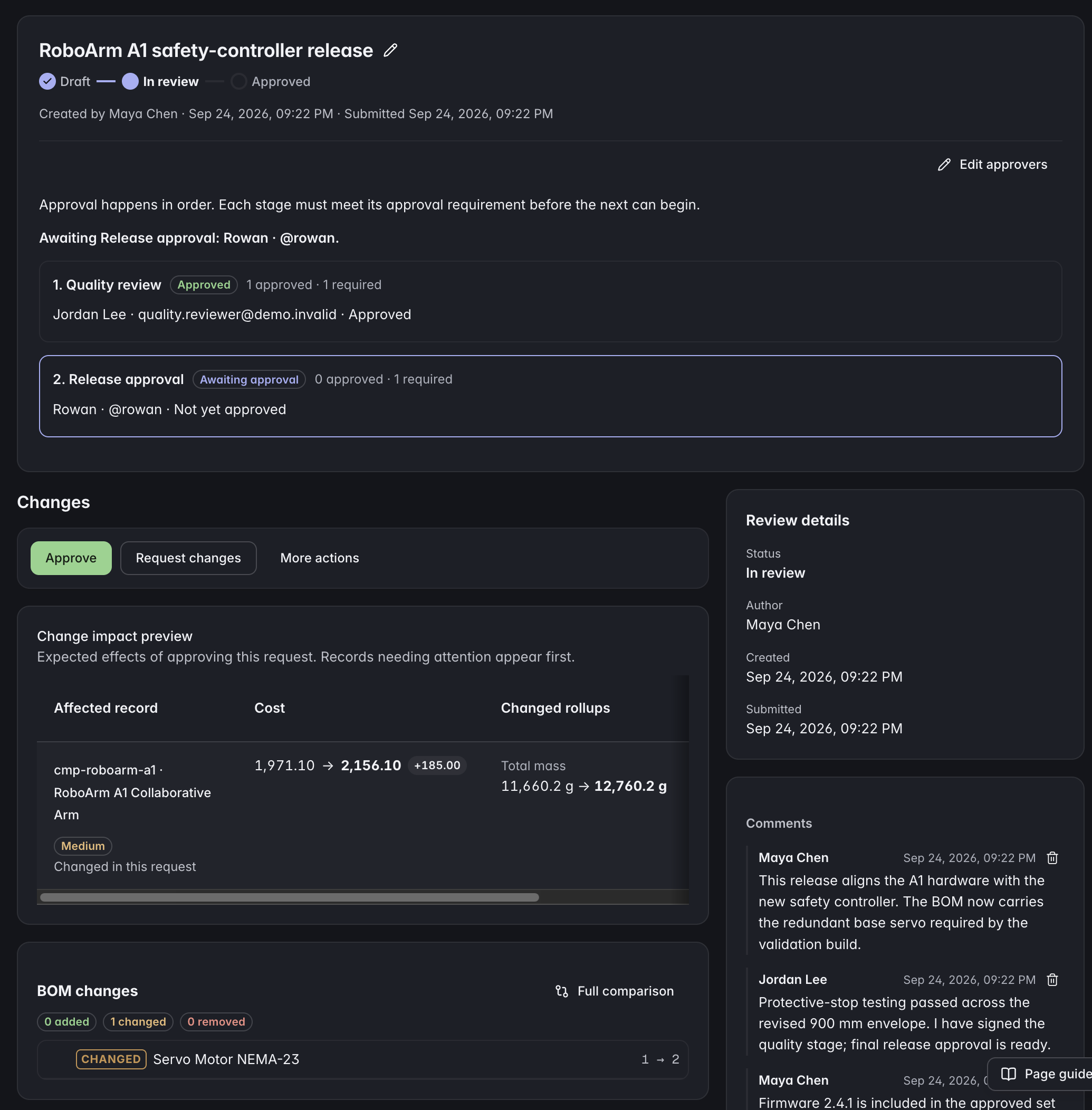
Prepare edits in a working copy and send them to the team for review. The live product record changes only after approval.
In the APIReview proposed edits before they reach approved product records, with named approvers and a traceable revision history.
 Click to enlarge
 Prepare edits in a working copy and send them to the team for review. The live product record changes only after approval.
In the APIEach applied change request creates a numbered, read-only snapshot with its approval reason. Browse and compare revisions to understand how the product changed.
In the APISet default approvers per type. Every named approver signs, and the last approval applies the change atomically — there is no half-applied state.
Route changes to the approvers required for their class. Use different approval groups for minor corrections and major redesigns.
Bundle several change requests that must reach live data together. Each request keeps its own approvers; once every request is ready, one atomic package release applies them all and links the revisions it created.
An approver can send a request back with a reason instead of rejecting it outright. The discussion lives on the change request, next to the diff it is about.
Find assigned reviews, work awaiting approval, and returned or rejected changes across projects you can access. Filter by project or agent activity, then open the full review to inspect the diff and record a decision.
Open a change request pre-filled from an earlier revision. Going back is a governed change with the same approvals as going forward, not an untracked overwrite.
Hard-freeze a record against every edit, with a reason required to lock it and to unlock it. A lock stops the change, it does not merely escalate it.
Retire a part, point it at its replacement, and work the still-used list from a dedicated page that hands off to the swap tool.
Every record carries its own history: who changed what, when, and under which change request. Sub-resources and configuration changes are audited too, not only the record body.
Start with your product model, connect the records, and bring your team into the same workflow.