Product-to-part structure
Model products, boards, and parts in a multi-level BOM. Keep quantities, reference designators, revisions, and where-used together.
Explore the capabilityElectronics · An example workflow
Manage the product, board, and part together. Give engineering and sourcing a shared view of the BOM, approved alternates, lifecycle, and cost.
 Click to enlarge ↗
Engineering and sourcing
Model products, boards, and parts in a multi-level BOM. Keep quantities, reference designators, revisions, and where-used together.
Explore the capabilityAttach approved substitute parts to each BOM line, so sourcing can find the alternatives accepted for that specific use.
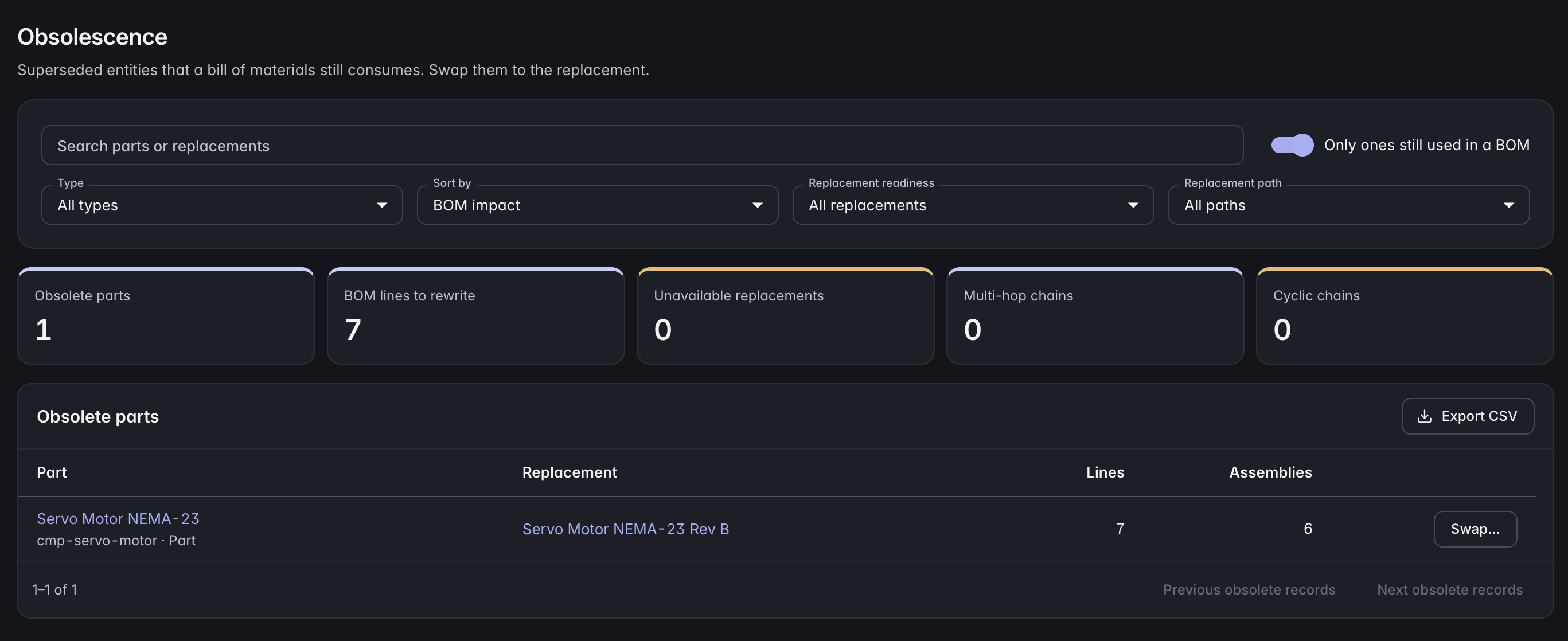
Explore the capabilityRecord lifecycle states and successor parts. Identify the BOM lines that still use a superseded component before planning a change.
Explore the capabilityRoll unit costs through the structure. Link controlled specifications and test reports to the product, with required document revisions preserved in release evidence.
Explore the capabilityYour model, your workflow
Define the fields each component needs, connect manufacturer parts to your internal records, and share common attributes through polymorphic base types. Your product model can evolve with the design.
ManyRows supports products across industries. Use a starter template, extend the model, or build your own from an empty project.
Explore the modelling toolsA closer look
Yes. CSV import supports column mapping and preview for record lists. Indented BOM import uses levels and quantities to build a multi-level structure.
Alternates belong to a specific BOM line. This lets the same component have different approved replacements depending on its role in the design.
Your team maintains lifecycle information, approved alternates, and supporting evidence in ManyRows. Live distributor data requires a separate source or integration.
Review the plans and included capacity on the pricing page. You can start with a 7-day trial without a card.
More ways to use ManyRows