Polymorphic base types
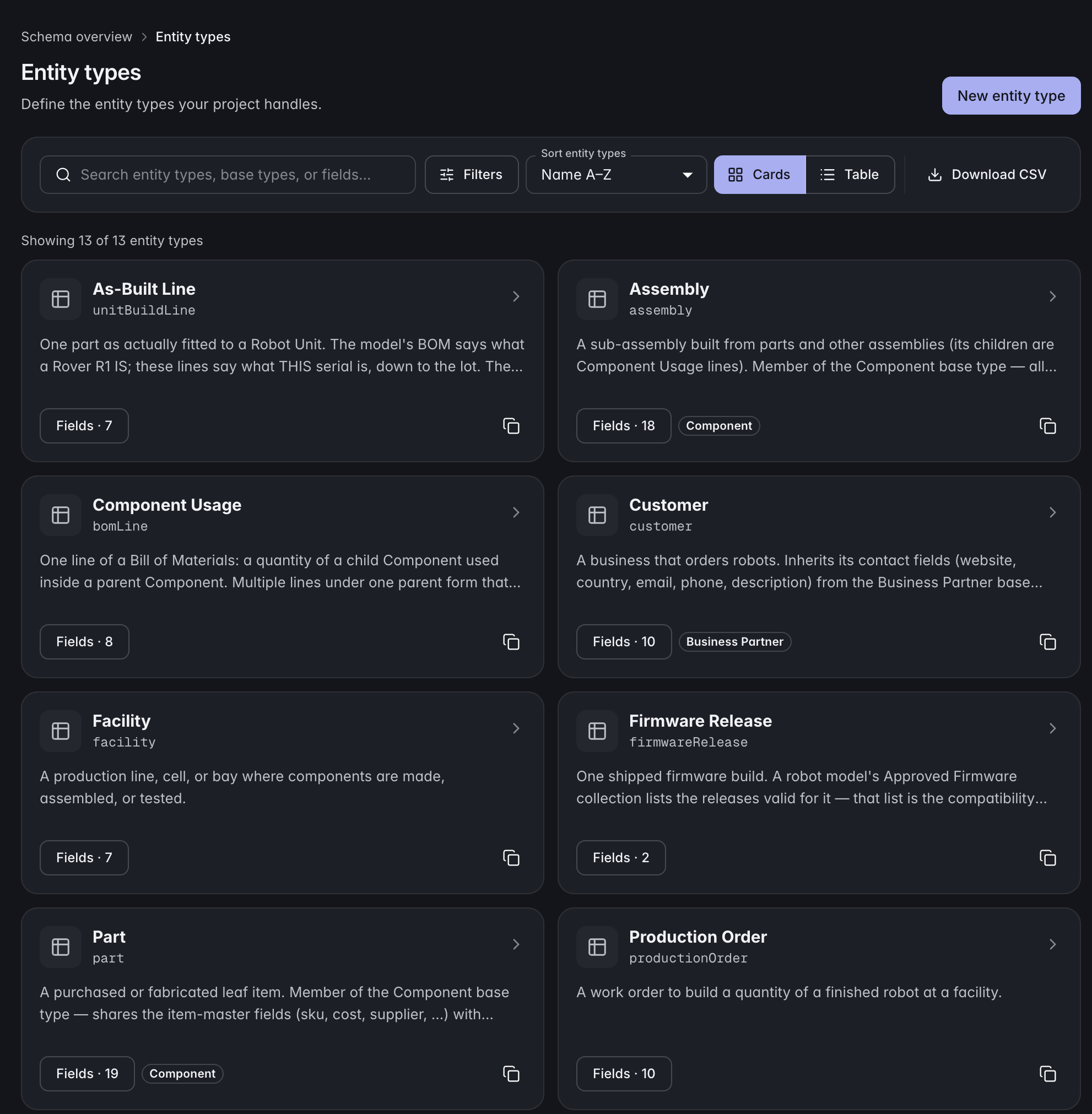
Define common fields once on a base type. Related entity types inherit them, add their own fields, and can be queried together through that base type.
In the APIGive each part, material, and product the fields it needs. Connect suppliers, specifications, and assemblies so a record leads to the context behind it.
 Click to enlarge
 Strongly typed fields
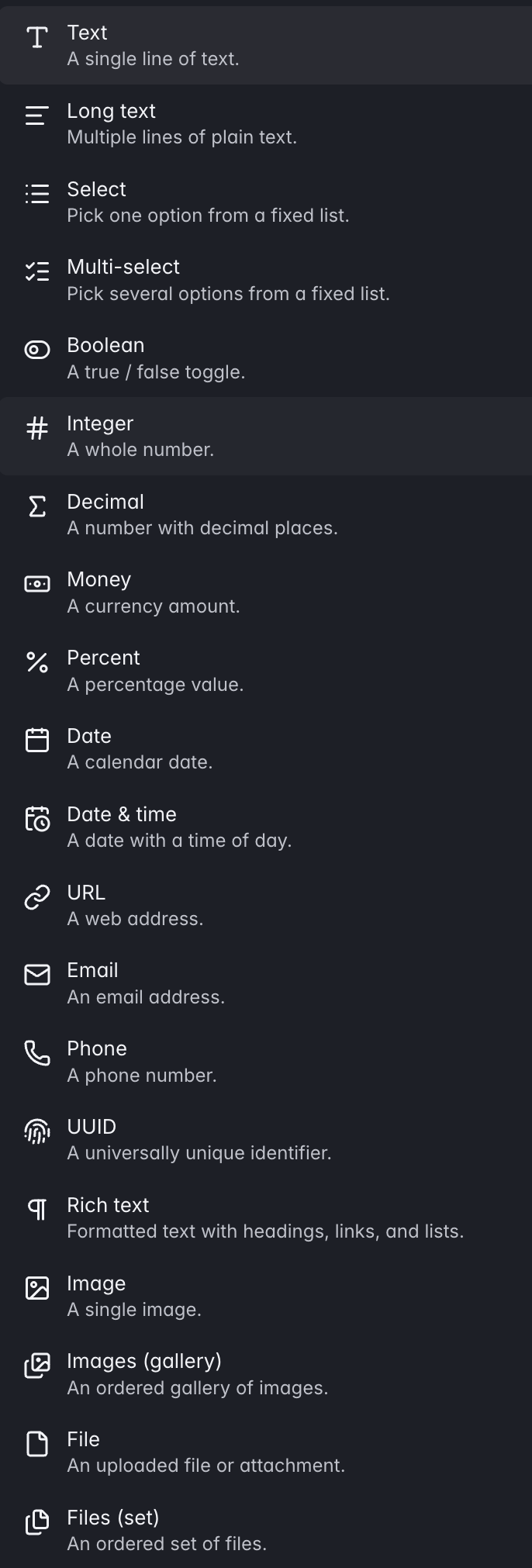
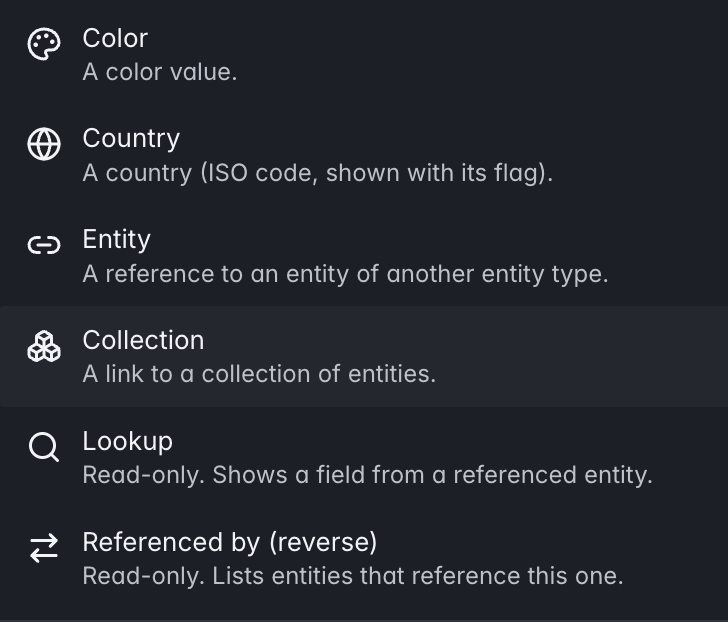
Choose the right field type for each value. Relationship fields connect records in the model, so the link has meaning beyond a copied ID.
 Click to enlarge
  Click to enlarge
 Polymorphic base types
Define common fields once on a base type. Related entity types inherit that structure, add their own fields, and can be queried together through the base type.
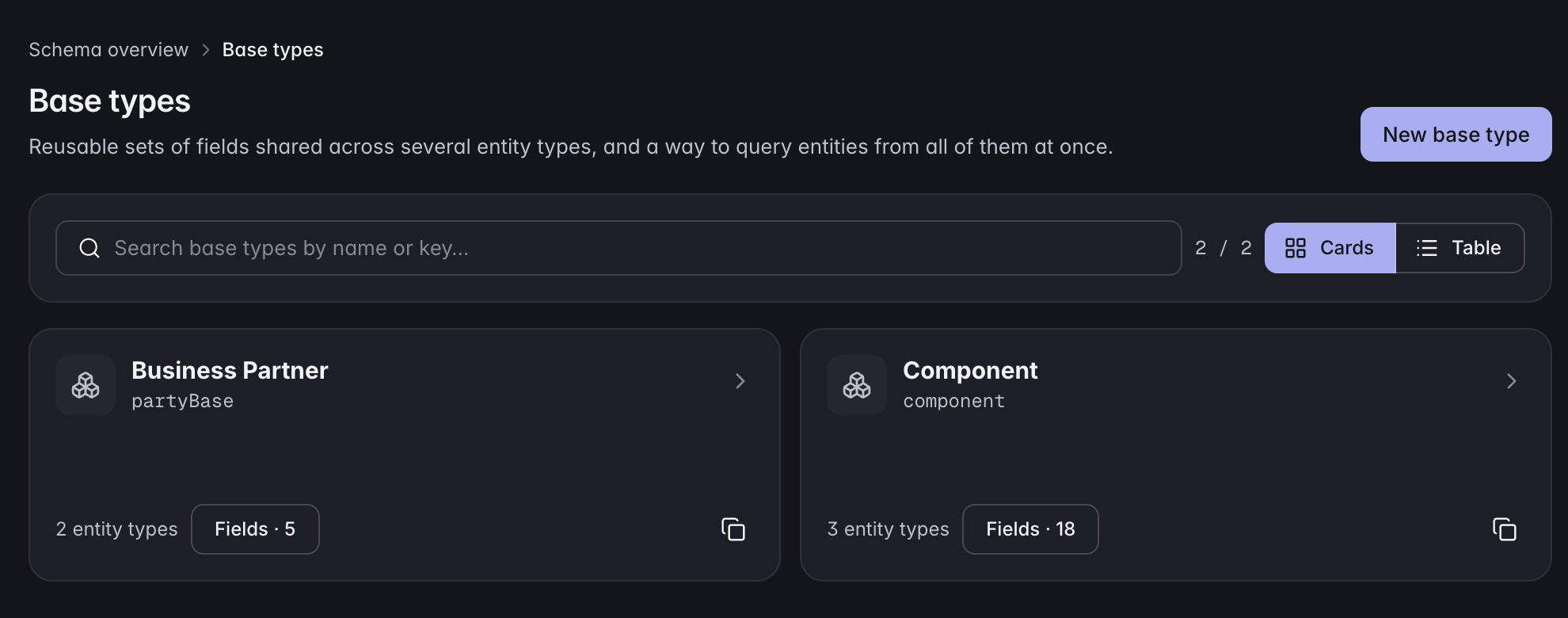 Click to enlarge
 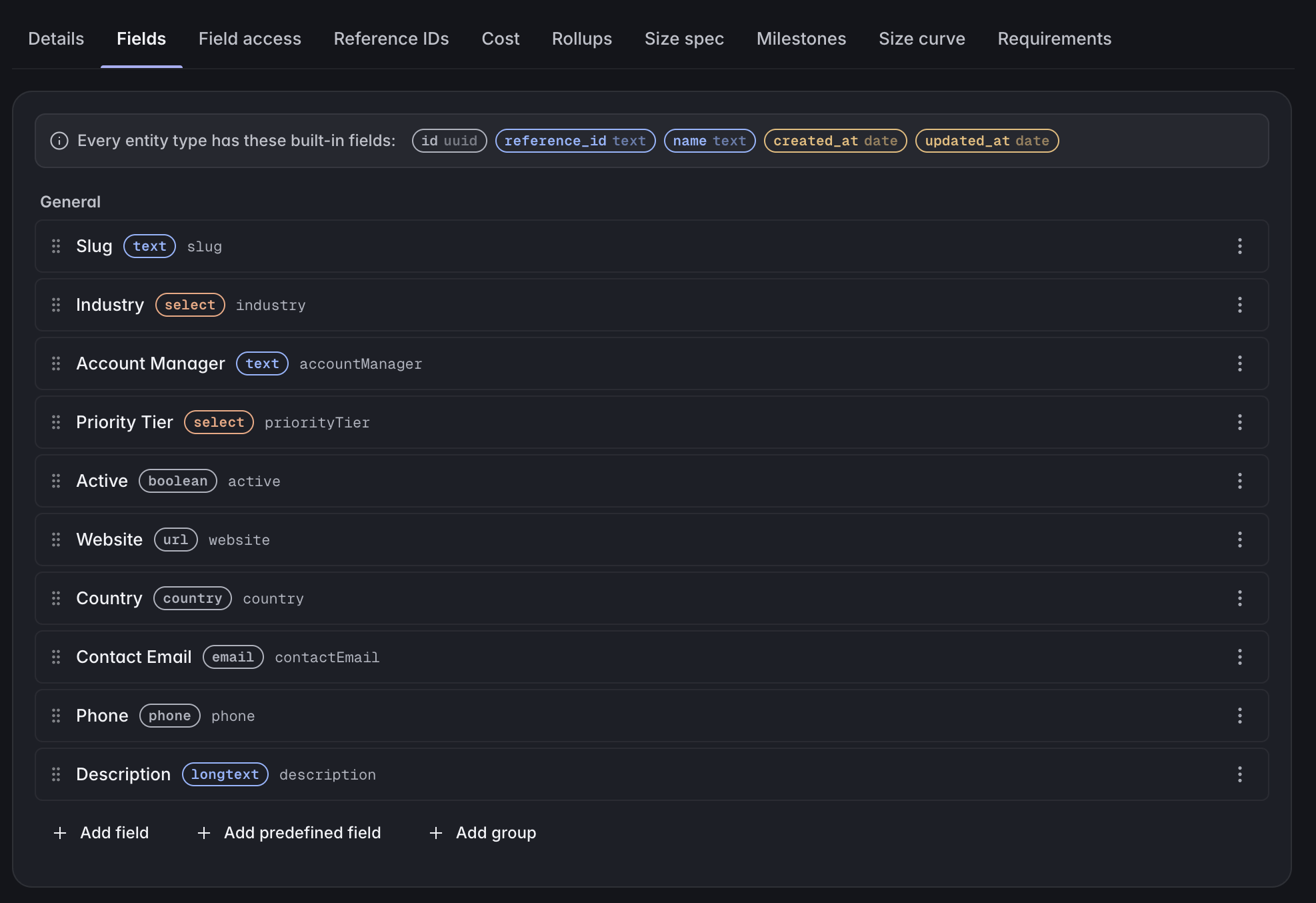 Click to enlarge
 Define common fields once on a base type. Related entity types inherit them, add their own fields, and can be queried together through that base type.
In the APIText, number, date, datetime, select, multi-select, boolean, currency, image, file, formula, entity reference and more. Field types validate values when records are saved.
In the APISort a long record into named, tabbed groups: identity, construction, compliance, whatever fits. Groups defined on a base type are inherited by every type under it.
Set default values for new records to reduce repetitive entry. Combine defaults with uniqueness rules where each record needs a distinct value.
Generate unique part numbers from a pattern you define for each record type, so your team can identify parts consistently.
Build typed classification trees and file records into them. One record can sit in several catalogs at once, so merchandising and engineering can each keep their own view.
In the APIConnect records through entity references, collections, lookups, and reverse references. The model knows what each relationship points to and where it is used.
Give a record an effective-from and effective-to window and read the catalog as of any date. A second axis covers build, order and batch ranges for structures that change mid-run.
Start from a working model — Apparel PLM, CPG and formulation, robotics, manufacturer profiles — with types, fields and sample records already in place. Or start from an empty project.
Start with your product model, connect the records, and bring your team into the same workflow.