Model the product you make
Define record types for products, parts, materials and suppliers. Add the part numbers, sizes, finishes and specifications that matter to your team.
Explore the modelling toolsShared product data
Model your products, parts, specifications, images and suppliers in one connected place. Give teams across your organization the same records to work from, starting with the capabilities you need today.
7-day free trial · No credit card required
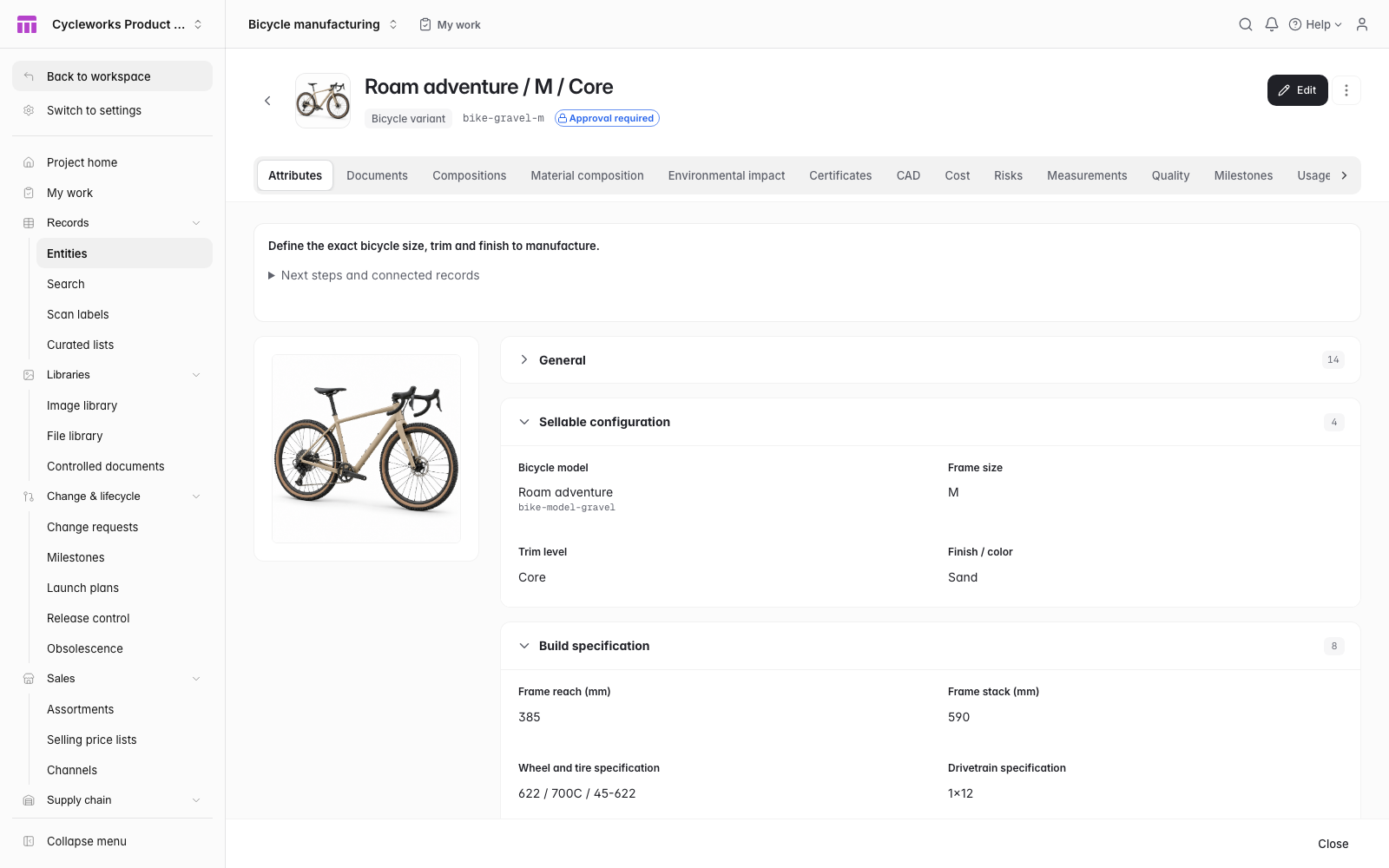 Enlarge screenshot
Define what you build, add the fields it needs, and connect the records behind it. Your model can grow with the work.
Define record types for products, parts, materials and suppliers. Add the part numbers, sizes, finishes and specifications that matter to your team.
Explore the modelling toolsReference the same part from multiple products and assemblies. Keep its images, specifications and supplier links with that part record.
Explore parts and BOMsChoose columns, searches and filters for the work at hand. Different views lead back to the same connected product records.
Explore the records gridProduct, engineering, purchasing and operations can work from a shared product model. Manage access through workspaces, projects and roles.
You can start without adopting every PLM workflow. Organize the product information you need now, then add structure and processes when your team needs them.
Start with shared records, fields, images and relationships.
Define your product modelAdd assemblies, quantities, where-used and cost rollups when you need a component structure.
Explore BOMsAdd change reviews, revisions and inspections when your work calls for formal control.
Explore change controlThe bicycle example connects a finished product to its frame kit, wheelset, fork and crankset. Define the records and relationships that fit what your organization makes.
No. Start with the record types, fields and relationships your product model needs. Build from an empty project or adapt an industry starter. Use BOM, quality, change and release workflows as you need them.
Connections need to be configured. Use the JSON Data API to integrate selected data, and MCP to access product context. Your team decides which information ManyRows owns as the shared source of truth.
You define the record types and fields, so the model can fit parts, assemblies, materials, formulations, equipment or finished products. Industry starters provide examples you can adapt.
Build a product model your organization can share, then extend it as your work grows.