
Karting
Record engine hours, rebuild history, sprocket gearing and tyre set identities alongside heats and tests.
Motorsport & Racing
From karts to rally cars, club racing to Formula One. Connect vehicle configurations, components and evidence through development, testing, competition and service.
Use the motorsport starter17 record types · 40 optional fictional example records
Keep discipline, vehicle class, country or jurisdiction, governing body or ASN, championship and season separate. Enter your own names, manage several programmes in one project, and link the rules and amendments that apply to each event.
Record engine hours, rebuild history, sprocket gearing and tyre set identities alongside heats and tests.
Enter one vehicle in several series, retaining each entry’s configuration, class and eligibility evidence.
Record driver stints, component running time and pit-service history, with explicit units and timing evidence.
Keep stage and road mileage scopes separate, record driver/co-driver pairing, and define component service intervals.
Use local names and units for hillclimb, rallycross, rally-raid, drift, drag, oval, historic racing or your own category. Each programme keeps its country, authority, class and rule editions.
The four starter examples are starting points. Use your own names and fields for hillclimb, rallycross, drifting or another discipline and its local categories.
Choose an editable karting, circuit, endurance or rally example, or start without examples. Enter your discipline, class, jurisdiction, authority, championship and season. Link the source editions and event instructions you actually use.
Open a Competition vehicle, create a Vehicle configuration and record its components and setup values with units. Preserve earlier configurations for comparison.
Link your session, stage, heat or stint to its vehicle, event and configuration. Enter measured usage with units and retain actual service and inspection evidence. No sporting permission is inferred.
Review component totals by exact unit and usage scope, remaining service life from an explicit baseline, duplicate or inconsistent records, event preparation and affected entries when a linked rule edition changes. Plan and assign service work, record completion with evidence and an optional new baseline, then save the reviewed source versions and findings. Rebuilds preserve earlier usage history; incomplete evidence stays visible.
Use the motorsport starterRecord each document’s issuer, edition, effective dates, applicability and exceptions. Link successor editions to discover affected entries and events, then retain applicability review evidence. Keep several sporting, technical, local or supplementary documents for each event or entry, with independent applicability reviews. Example countries and classes are fictional; external regulation websites are not monitored automatically.
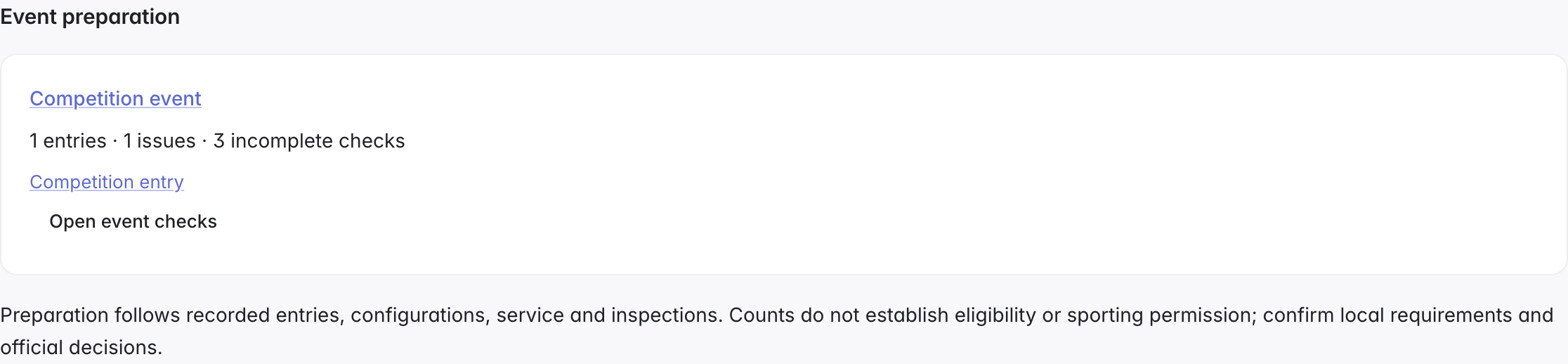
Use the same process across racing disciplines. These actual app screens show event preparation, inspection, follow-up, service and saved-review comparison.
Connect entries, vehicle configurations and fitted components. Keep sporting, technical, local and supplementary documents together, with a separate applicability review for each.
 Click to enlarge ↗
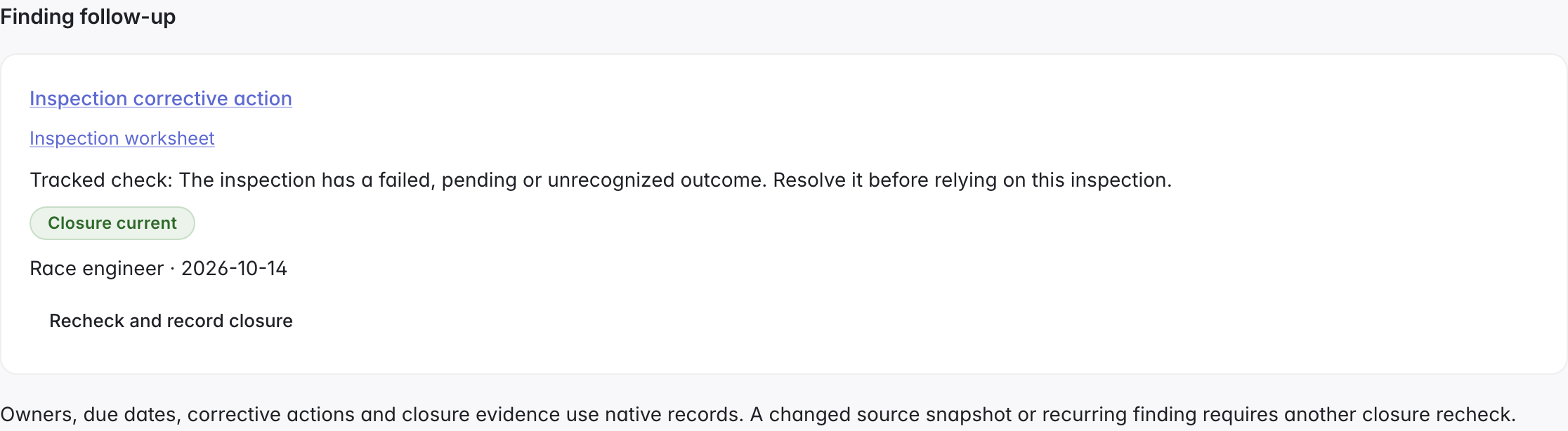
Check inspection outcomes and the current reviewed inputs. Record equipment certificate validity and inspection deadlines, then check them against the event date too.
 Click to enlarge ↗
Open an existing follow-up beside its finding, or plan one. Give it an owner, due date, corrective action and closure evidence, then recheck the current sources to record closure.
 Click to enlarge ↗
Plan and assign vehicle or component work. Filter due work by owner and status, and choose how far ahead to see service and equipment inspection deadlines. Retain the actual work and evidence.
 Click to enlarge ↗
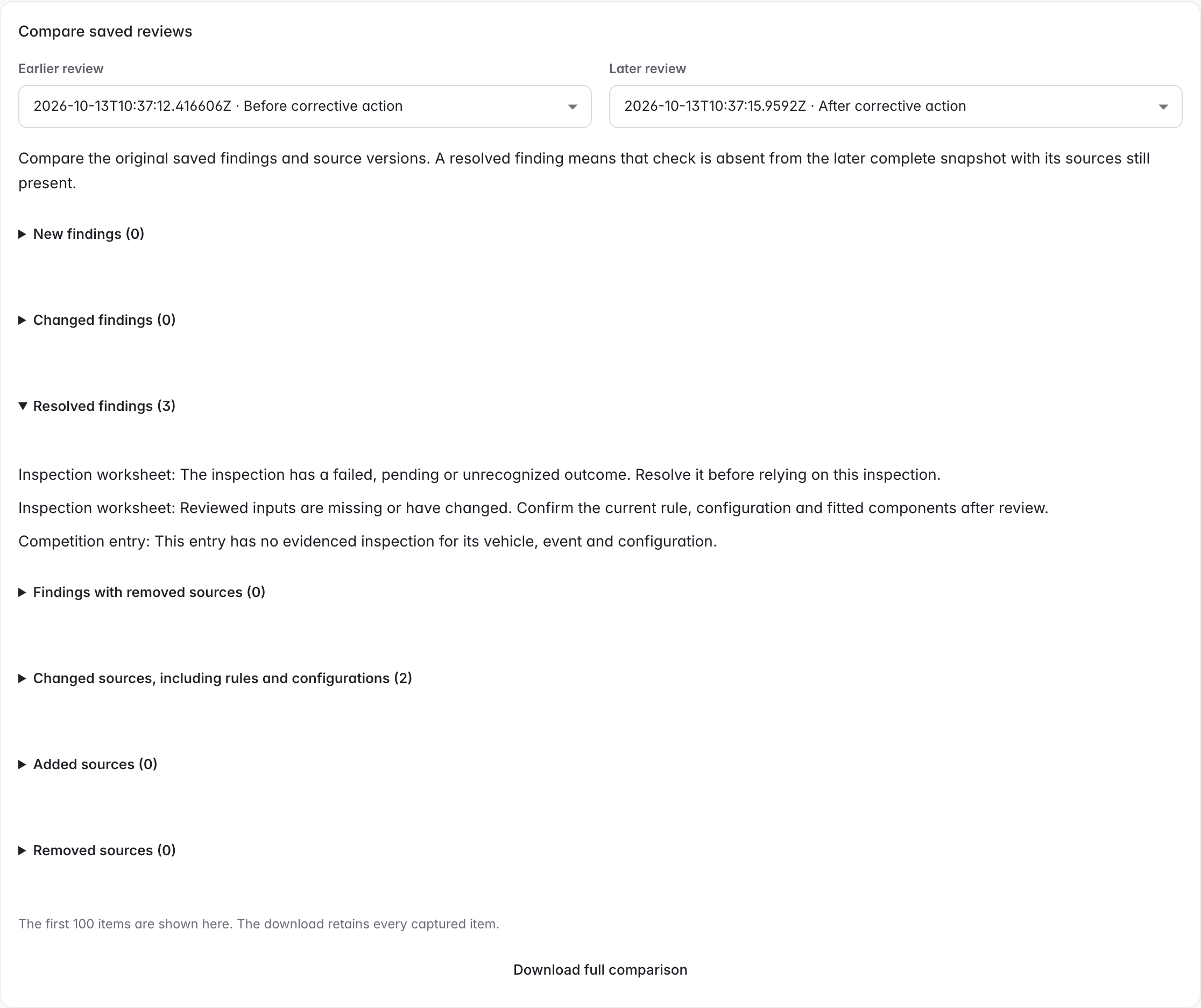
Preserve the reviewed source versions and compare two reviews. Download a printable handover of outstanding checks, owners, deadlines and evidence references for the selected event or full project.
 Click to enlarge ↗
New inputs, changed sources or recurring findings require another closure recheck. Incomplete coverage and removed sources cannot appear resolved in a comparison. Screens use fictional example data.
Explore setup submissions, power-unit allocations and parc fermé evidence in the separate F1 starter. Its rules and checks are not automatically applied to other disciplines.
Bring each car’s setup, submitted sheet and written authority decisions into one race-weekend review in ManyRows PLM. Explore a Formula One inspired workflow with the fictional Aster Racing team.
Choose a workspace, then review the template for a new project.
Open the walkthrough using the video download link below.
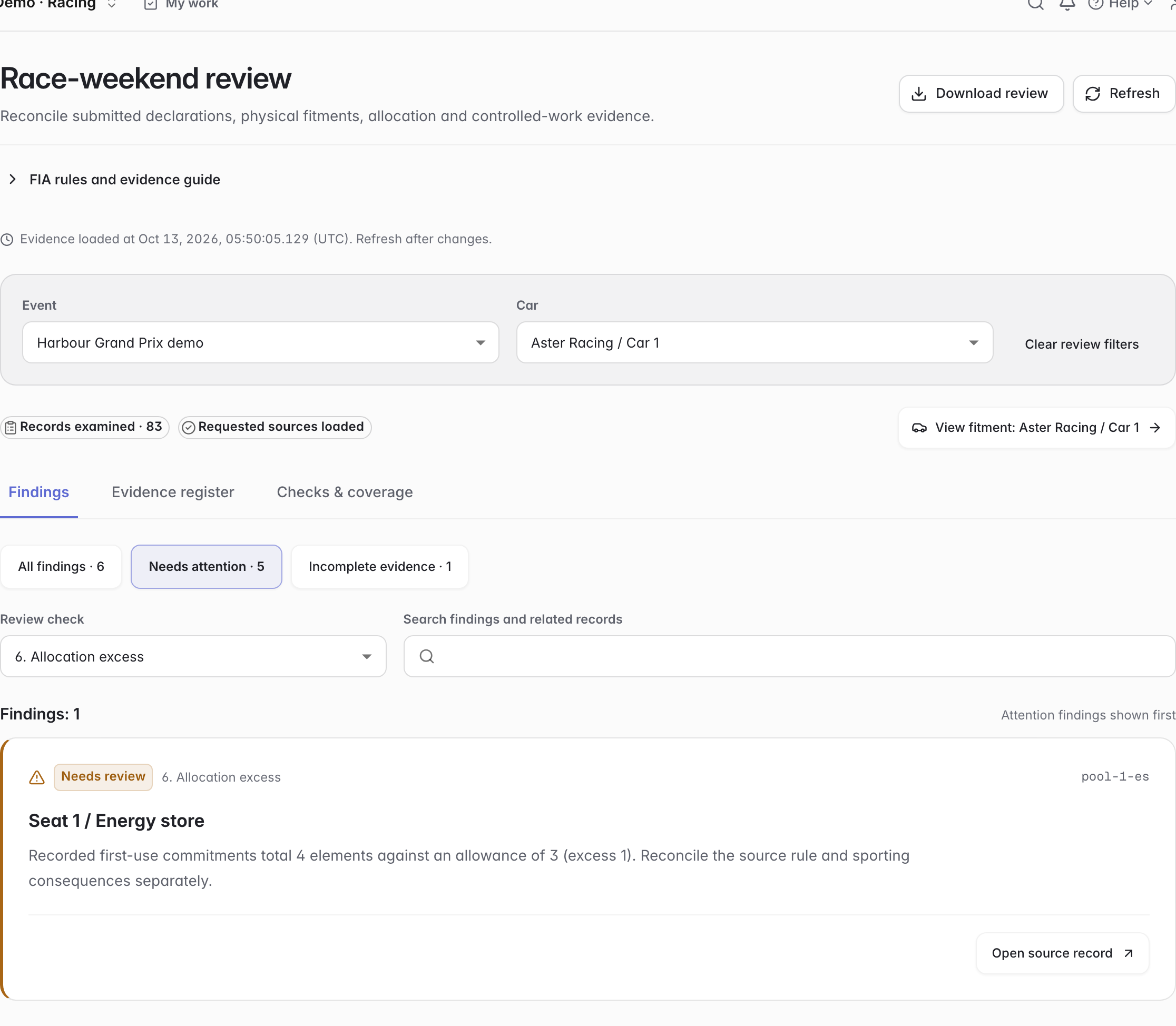
Review setups, fitted parts, component life, allocations and work by car or event. Open the source records behind each finding and download the review.
 Click to enlarge ↗
Save car, event, check, finding-status and search filters in the URL. Keep current fitments, component health and full-season allocations in view.
Inspect exact submitted revisions and serial/quantity differences. Surface seal issues, duplicate fitment, missing evidence and incomplete scope.
Download selected findings, filters, capture time, source identities and coverage gaps as JSON. Review findings and permission to work remain separate.
Connect the records your team needs at three points in the race weekend.
Start a declaration from the session. Link the approved revision and actual sheet receipt, then record first pit exit or SQ1/Q1 end for a car that never exits.
FIA B3.5.1–B3.5.2 ↗Compare submitted and current settings, then review the permitted-work provision or written decision. Link actual execution times and removed-part custody evidence.
FIA B3.5.3–B3.5.4; Appendix B2 ↗Record mileage for the serials that ran. Keep a new power-unit element’s first competition-use evidence linked to its season account and review it separately from distance.
FIA B8.2.2–B8.2.9 ↗Reference: 2026 FIA Sporting Regulations, Issue 09 · 1 October 2026. Checked 13 October 2026. Check current FIA editions ↗
Keep the original communication, receipt and acknowledgement together. Record each cover or seal action with its own evidence.
Record the recipient, original document, receipt time and acknowledgement evidence. Review outstanding acknowledgements and conflicting clocks by car and event, then export the exact UTC timestamps.
FIA B1.1.2 ↗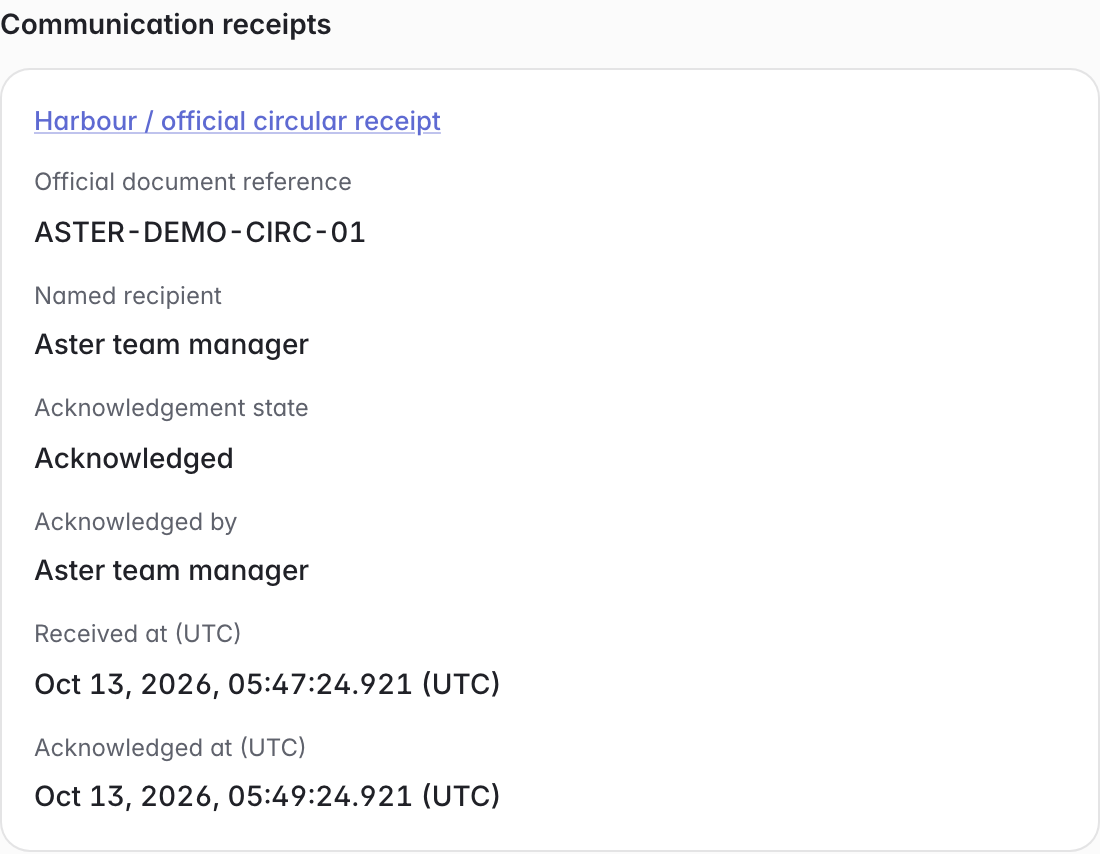 Click to enlarge ↗
Record fitting, removal and inspection with a time, witness and source evidence. Link the previous event and relevant communication, then review conflicting cars, periods, seal references and chronology.
FIA B3.4 ↗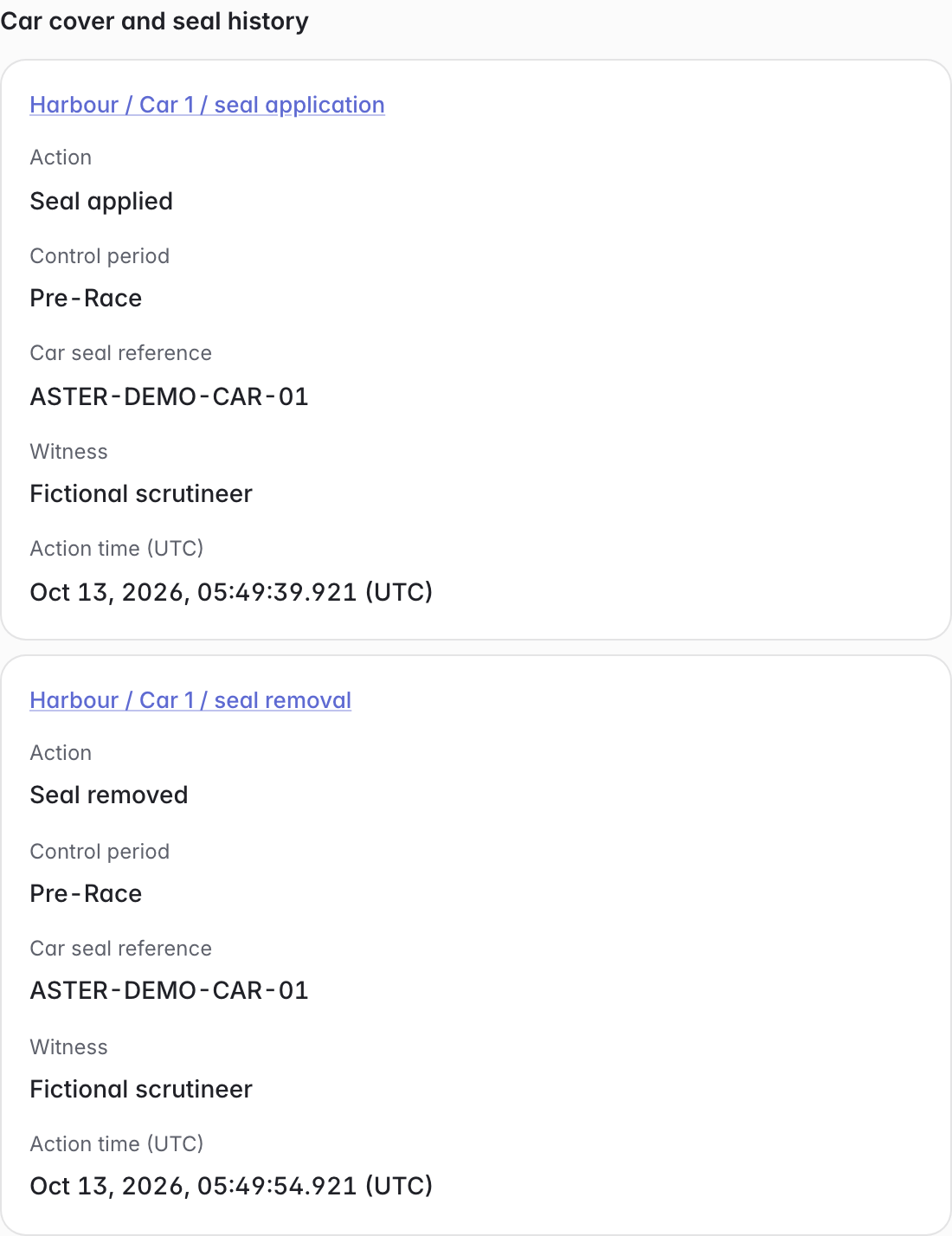 Click to enlarge ↗
Follow driver-specific configurations, season allocations, and release evidence through the same product model.
Alex Vale and Mika Laurent run different aerodynamic and cockpit components. Each car has 21 individually identified fitted serials, with its own design specification and setup declaration.
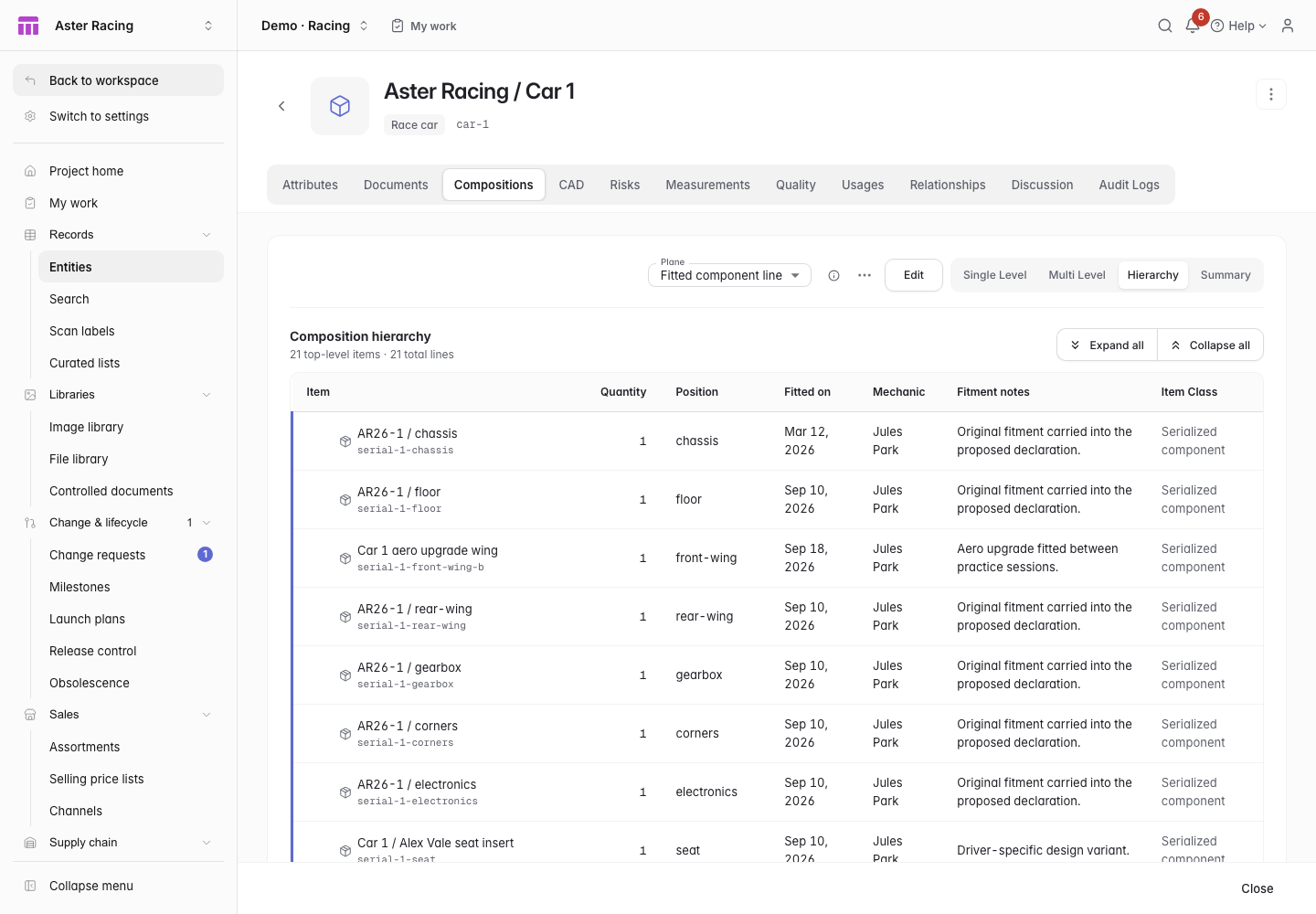 Click to enlarge ↗
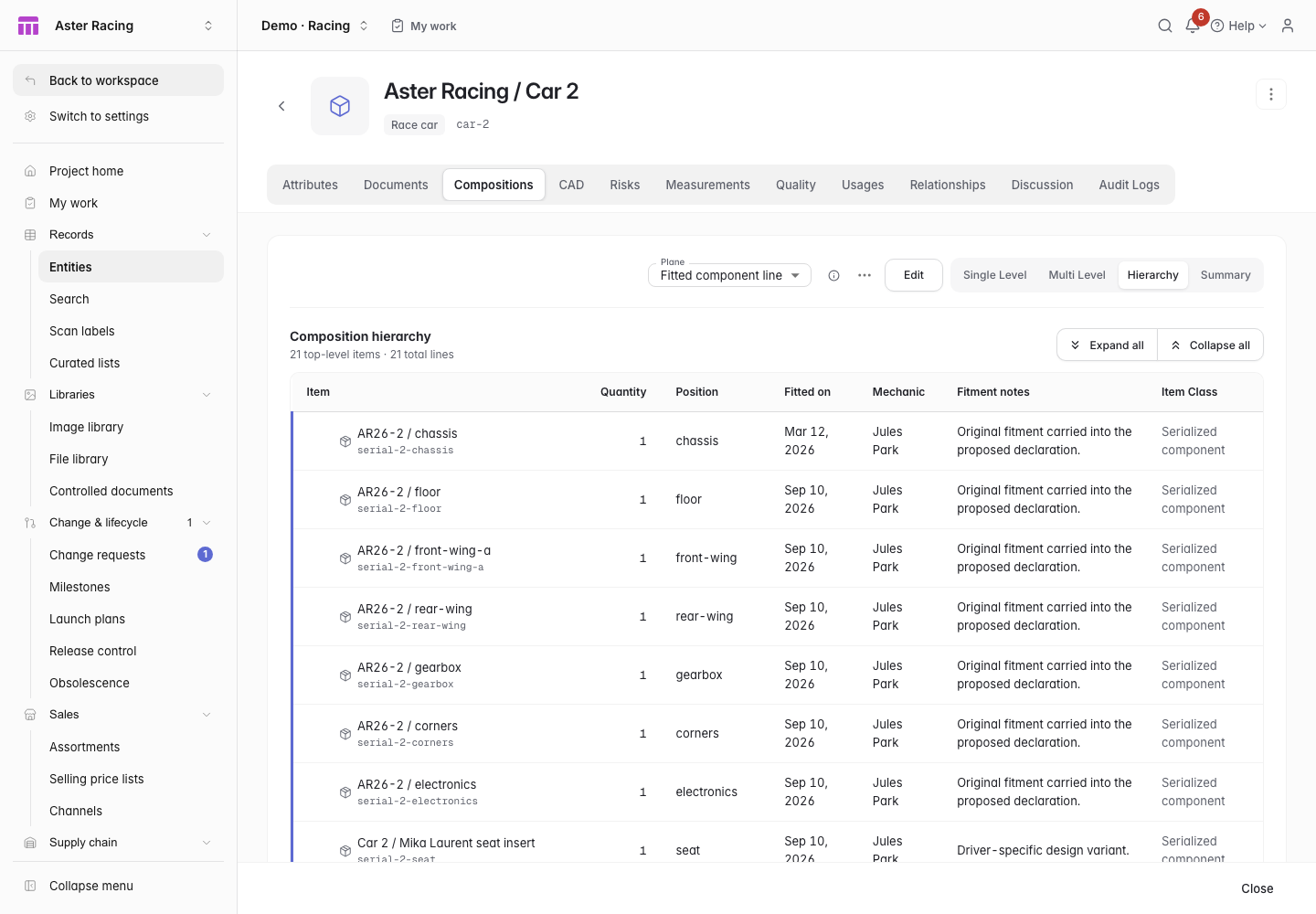 Click to enlarge ↗
Compare the frozen practice-arrival configuration with the current car. Identify the replaced wing serial, then follow the upgrade back to its engineering BOM.
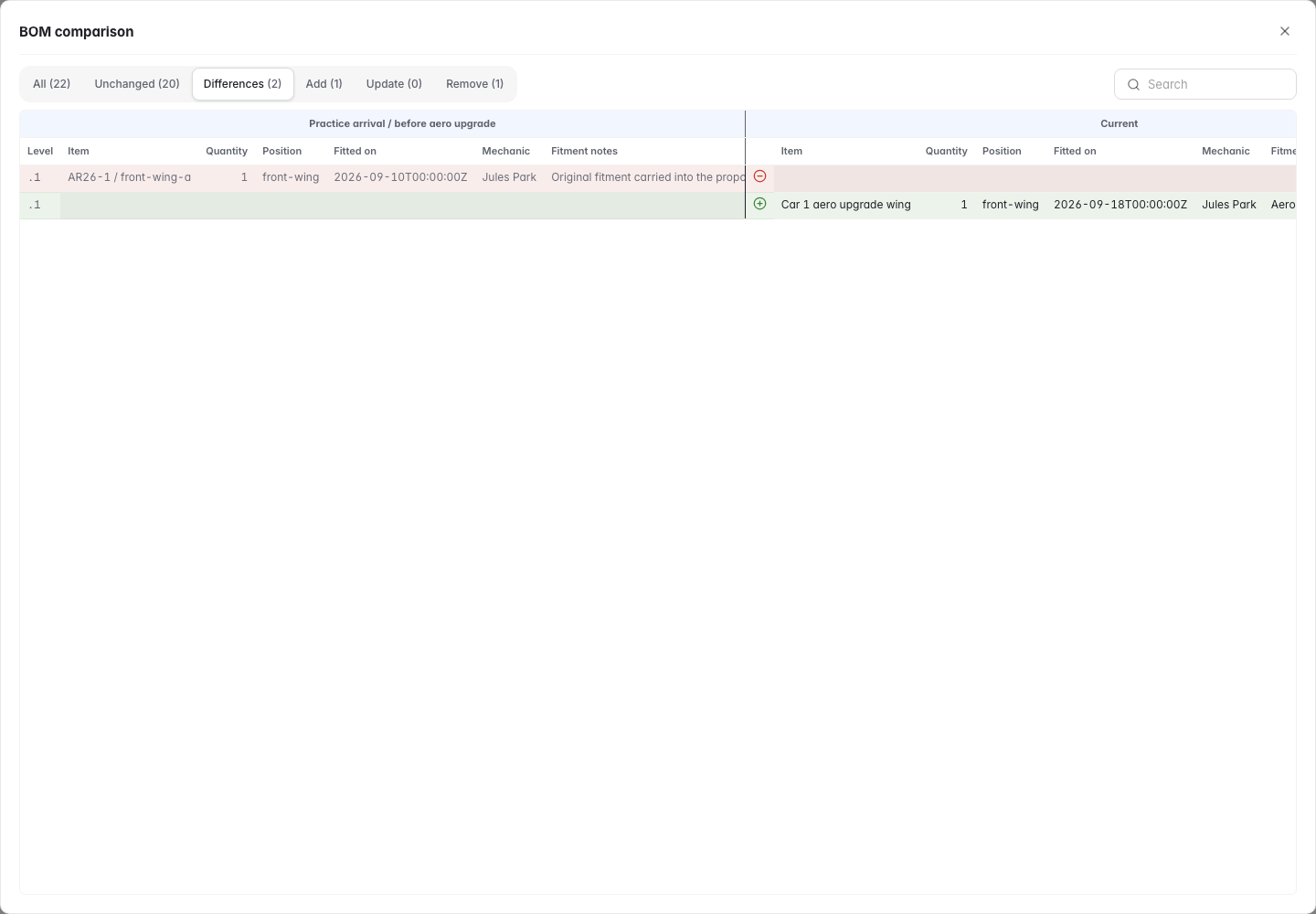 Click to enlarge ↗
Manage power-unit allocations by driver-season account. Distinguish an unused spare, a returning engine, and a new first-use commitment. Review the linked rule source and evidence.
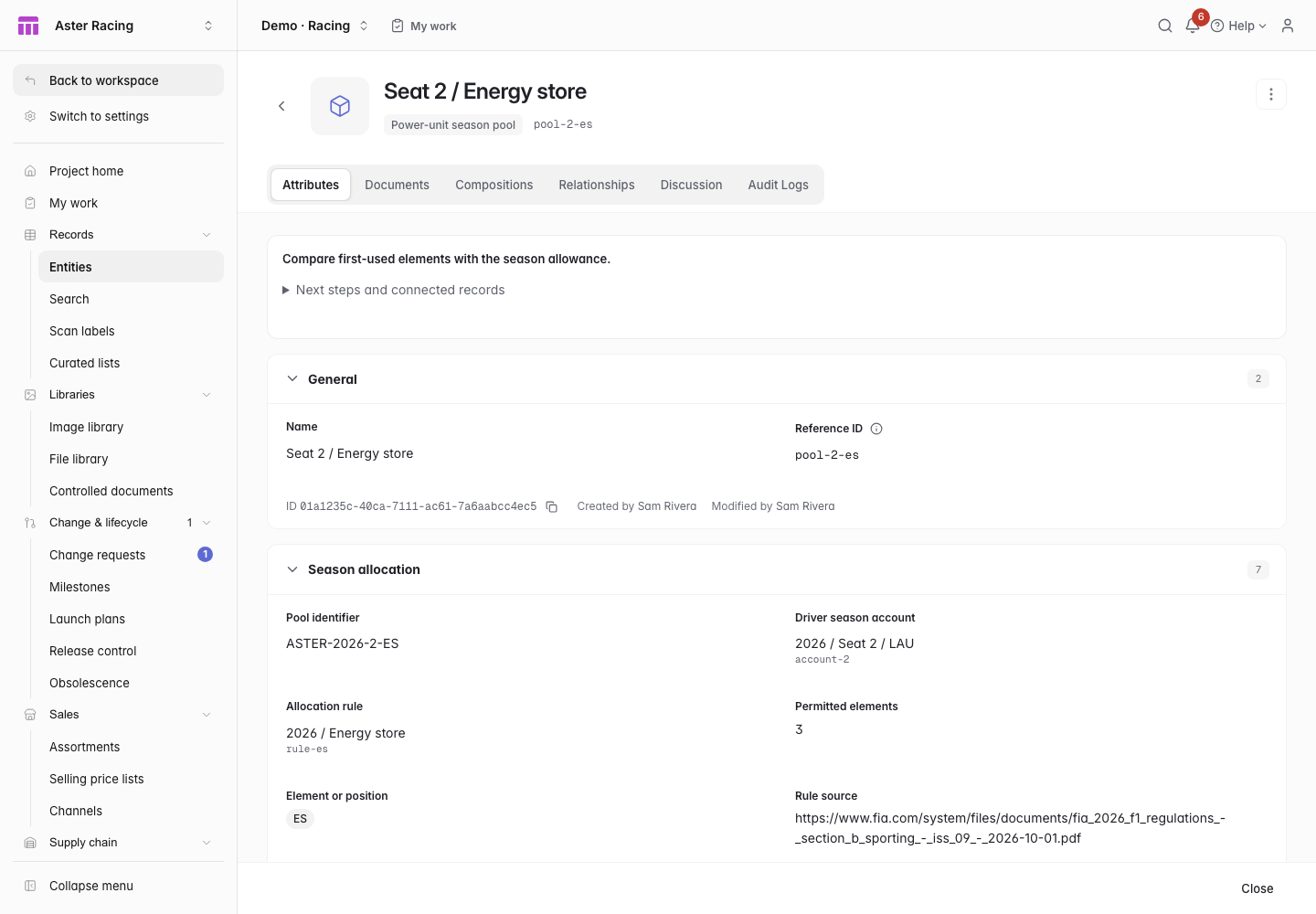 Click to enlarge ↗
Car 2’s fitted gearbox has run 130 km beyond its 3,000 km team maintenance limit. The replacement spare starts at zero with a separate mileage history.
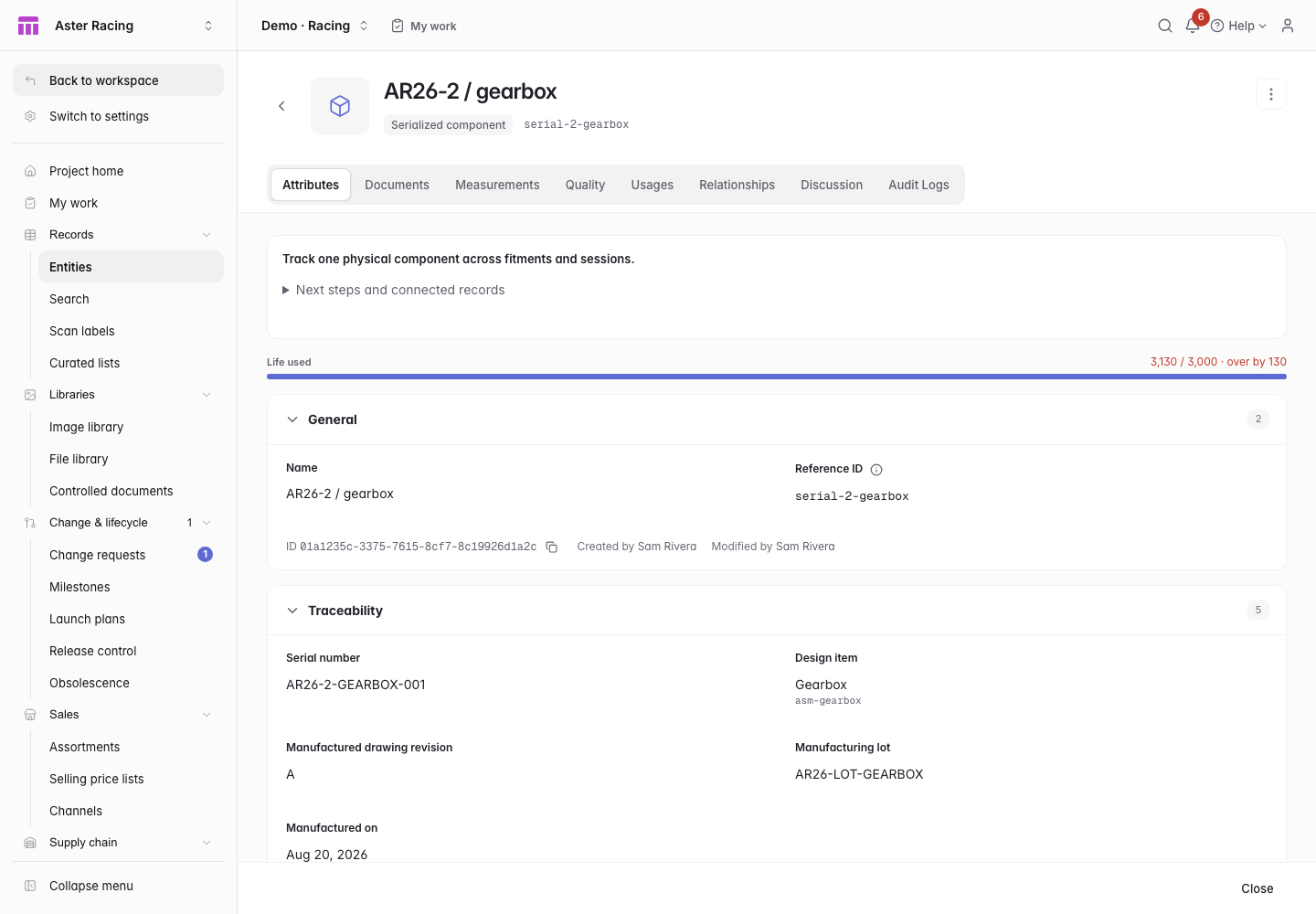 Click to enlarge ↗
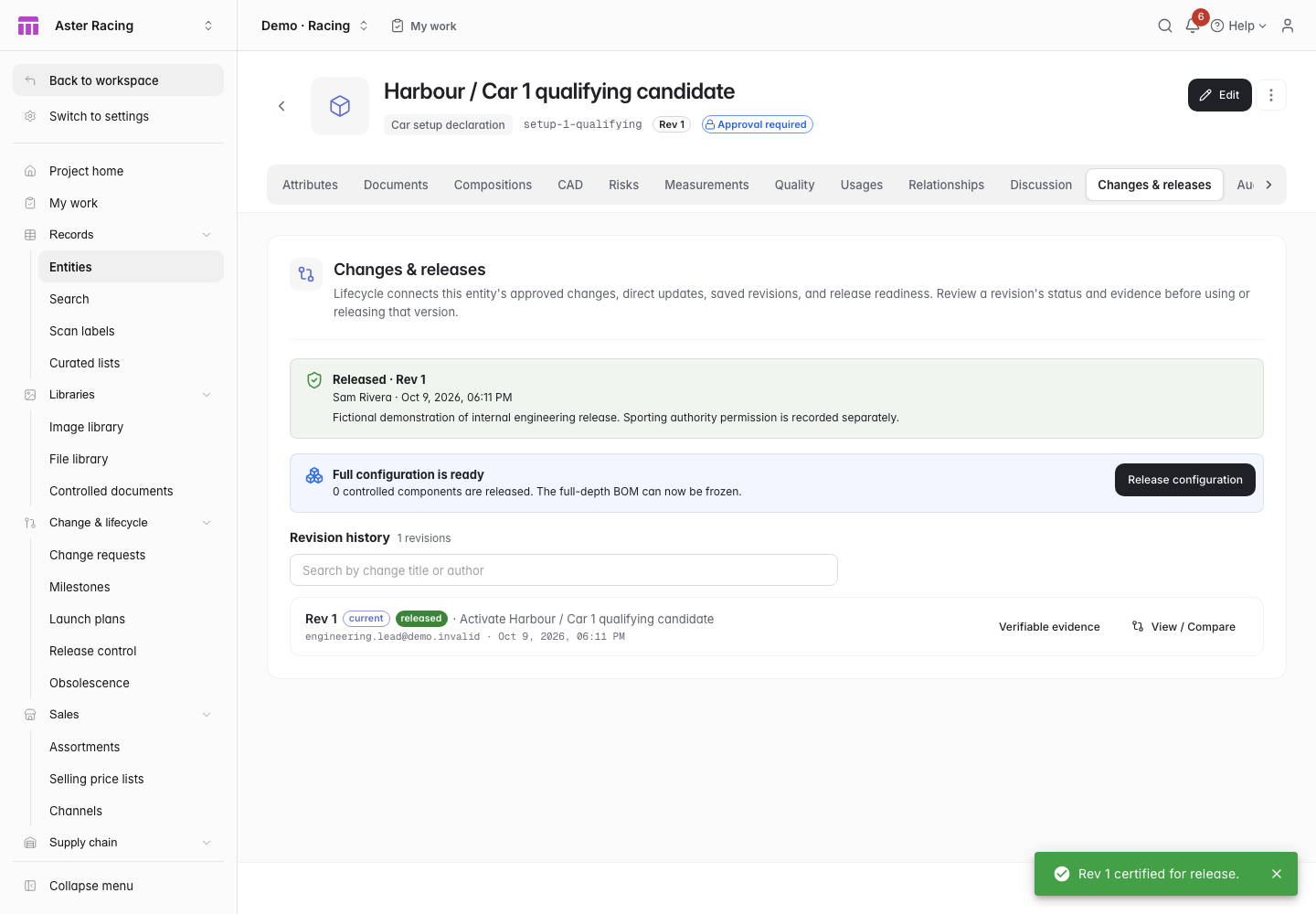
Setup approval pins the declaration to a revision. Both required inspections must pass before internal certification. Keep the written request and external authority decision alongside it.
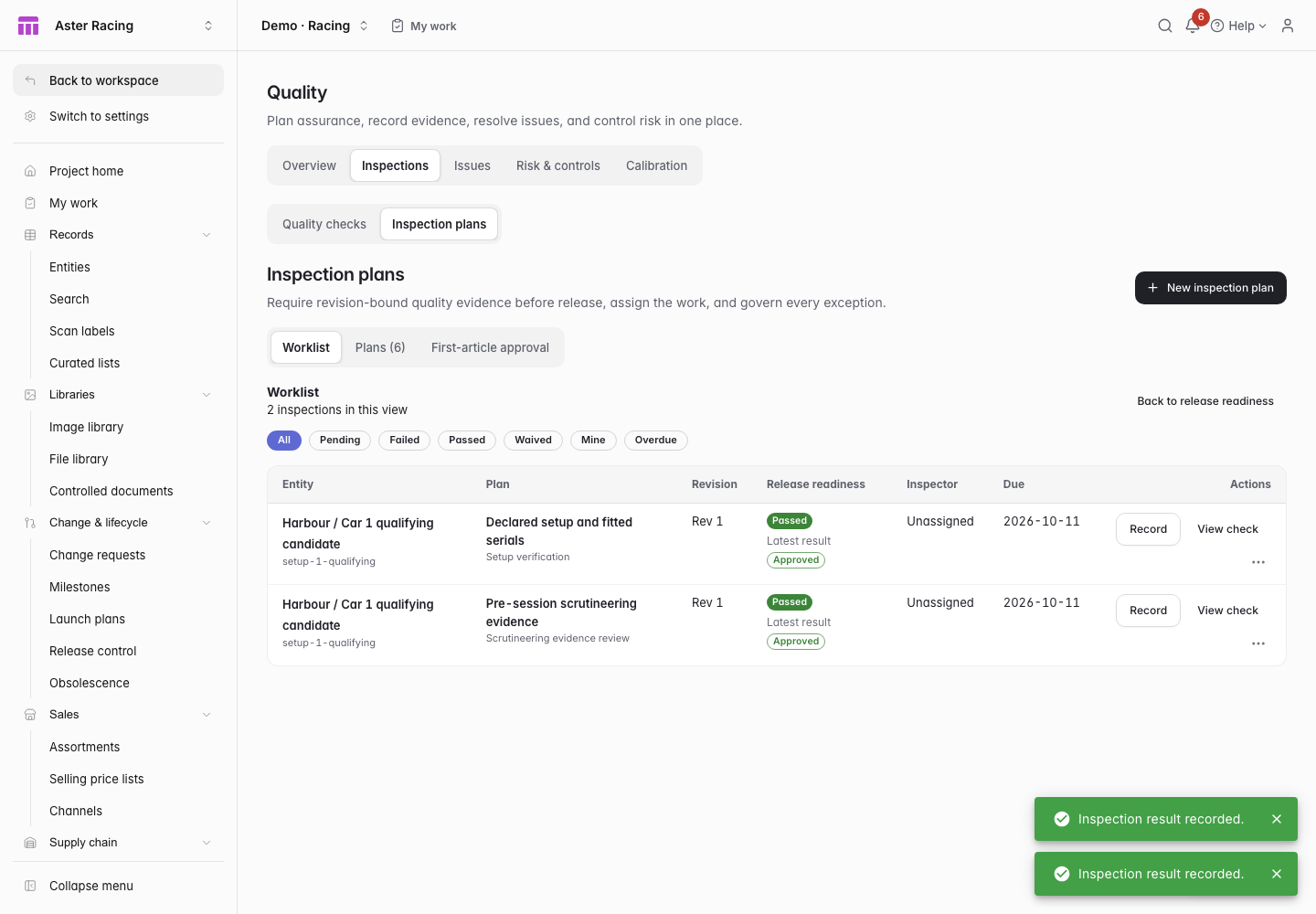 Click to enlarge ↗
Start a setup declaration from a session’s recorded car, event and driver. Enter settings, approve the revision, then record delivery and receipt evidence. Keep Pre-Sprint and Pre-Race control timing separate.
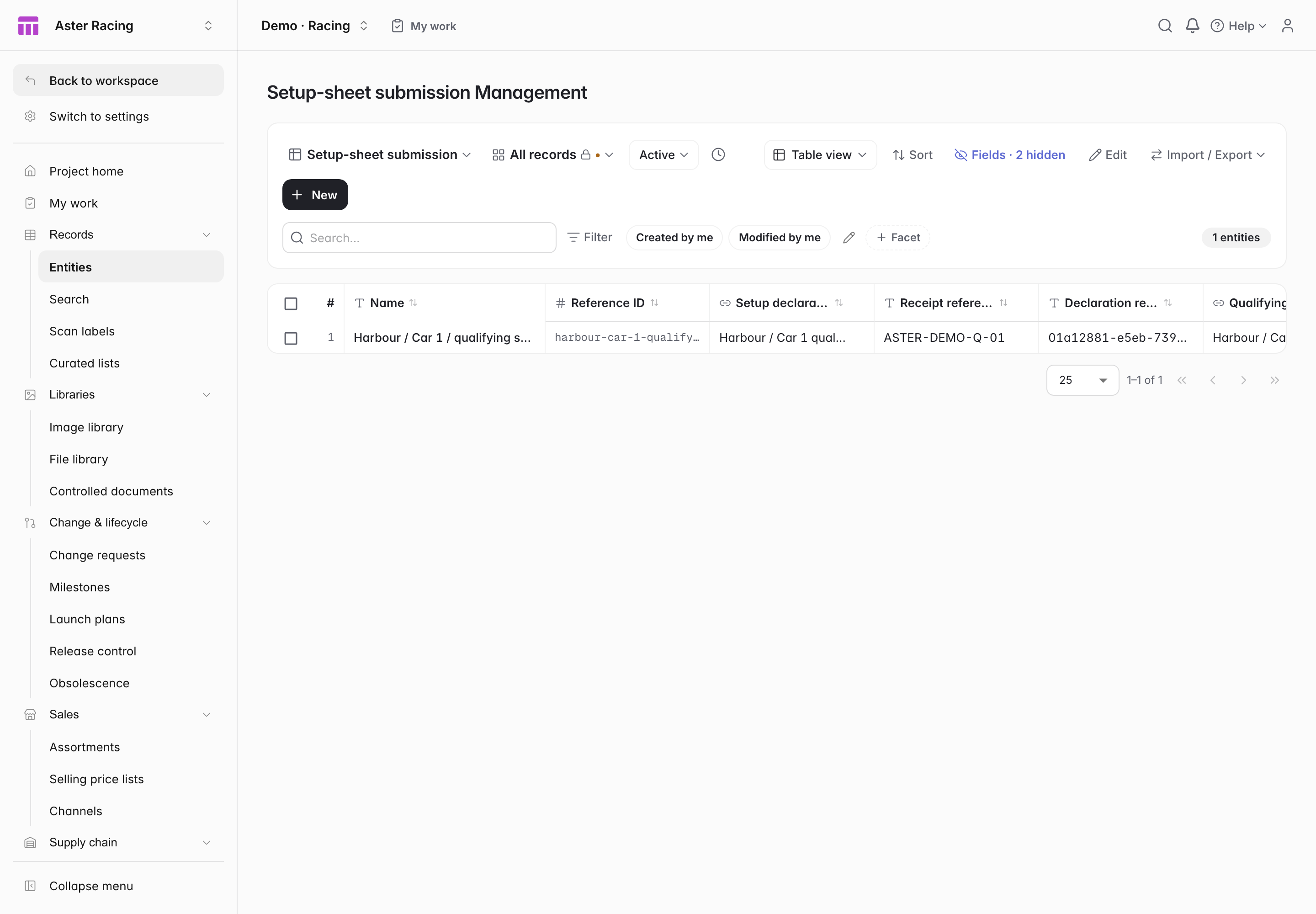 Click to enlarge ↗
Start a follow-up reply with the same request and a link to the reply being replaced. Enter new written evidence, conditions and validity, then review the exact request revision, actual work timing and part custody.
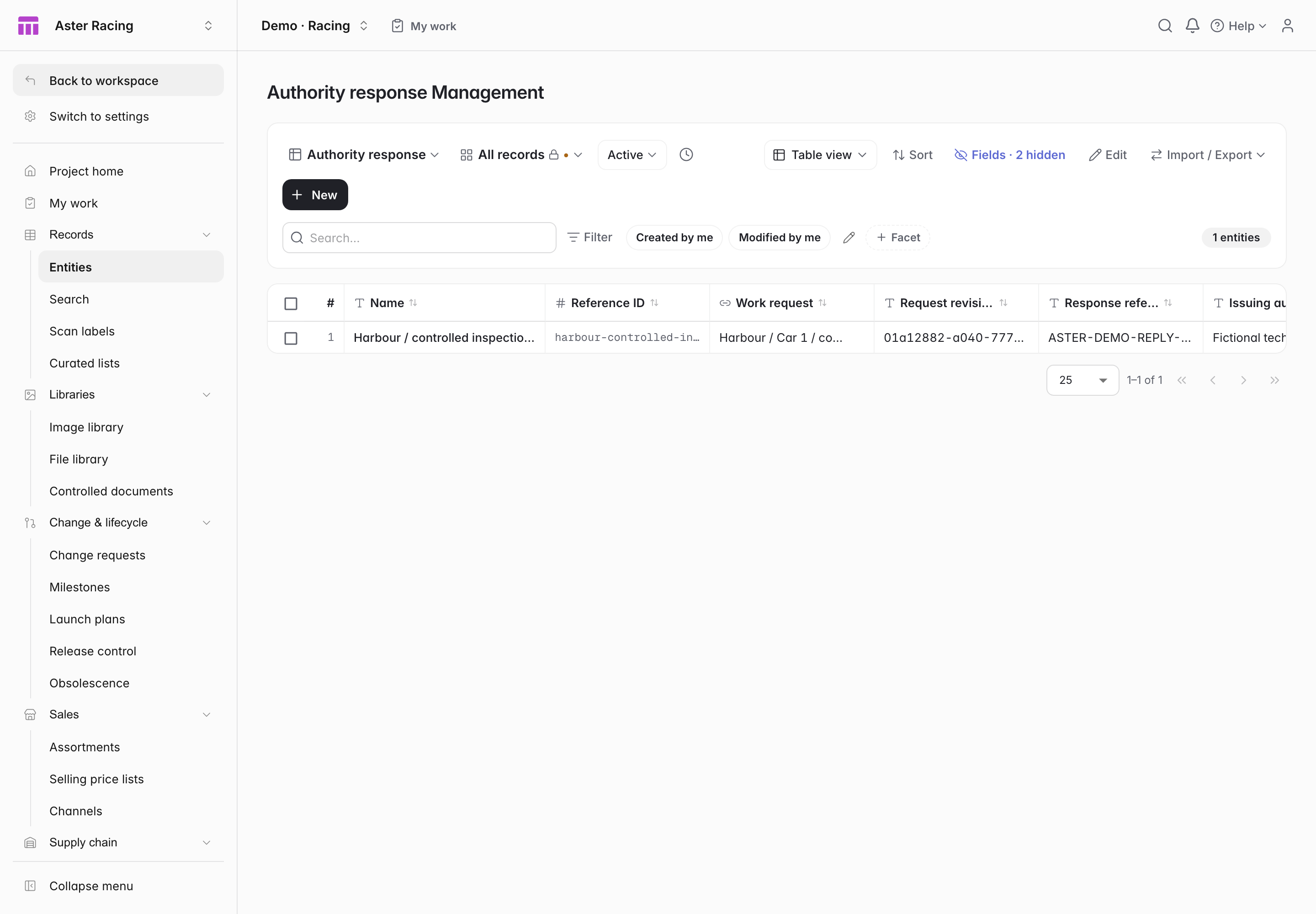 Click to enlarge ↗
See every submission and reply for a car and event. Follow their approved revisions and the UTC timeline, then download the complete record.
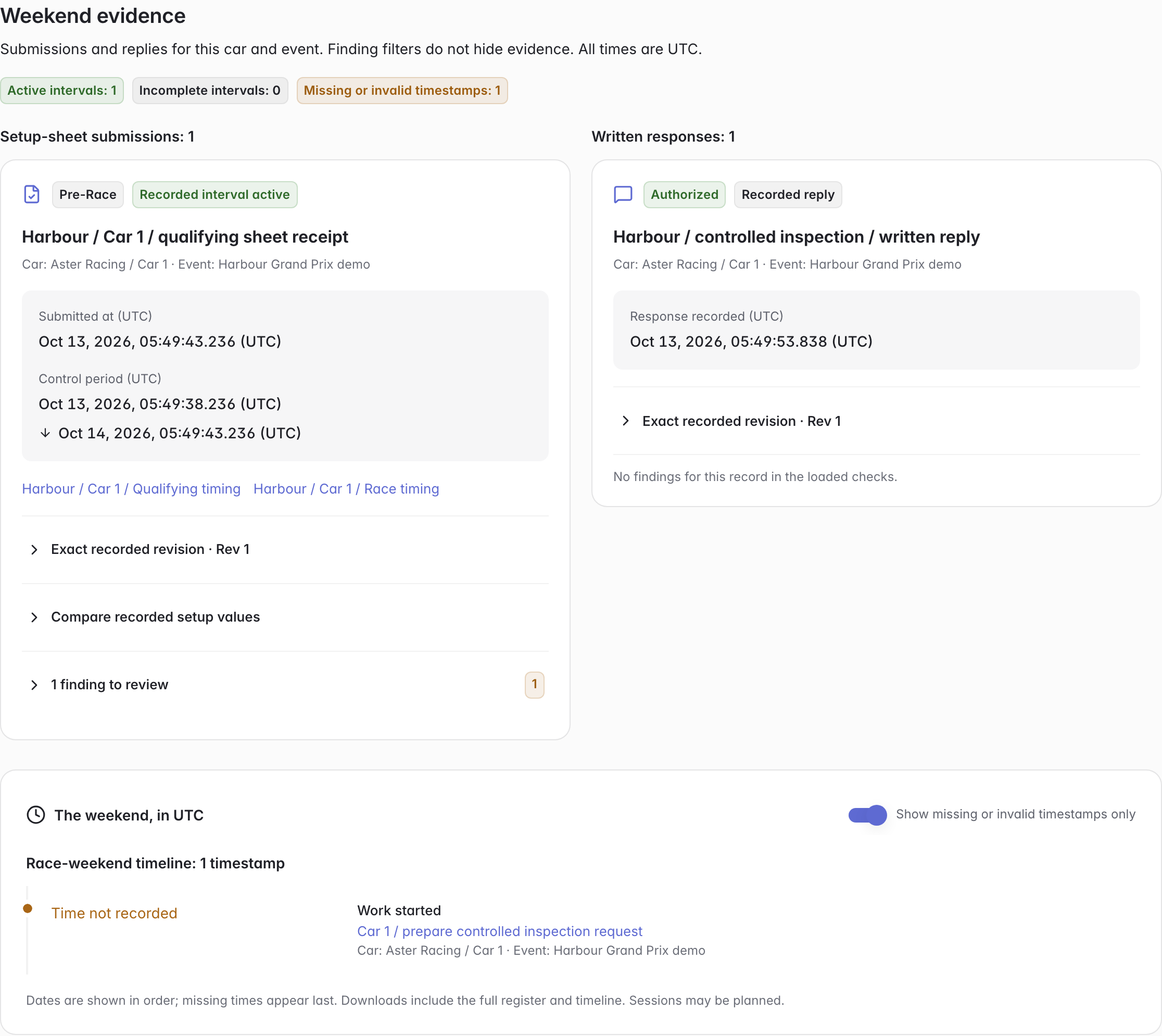 Click to enlarge ↗
Select an approved revision and check its car, event and driver. Use that revision when recording the submitted sheet.
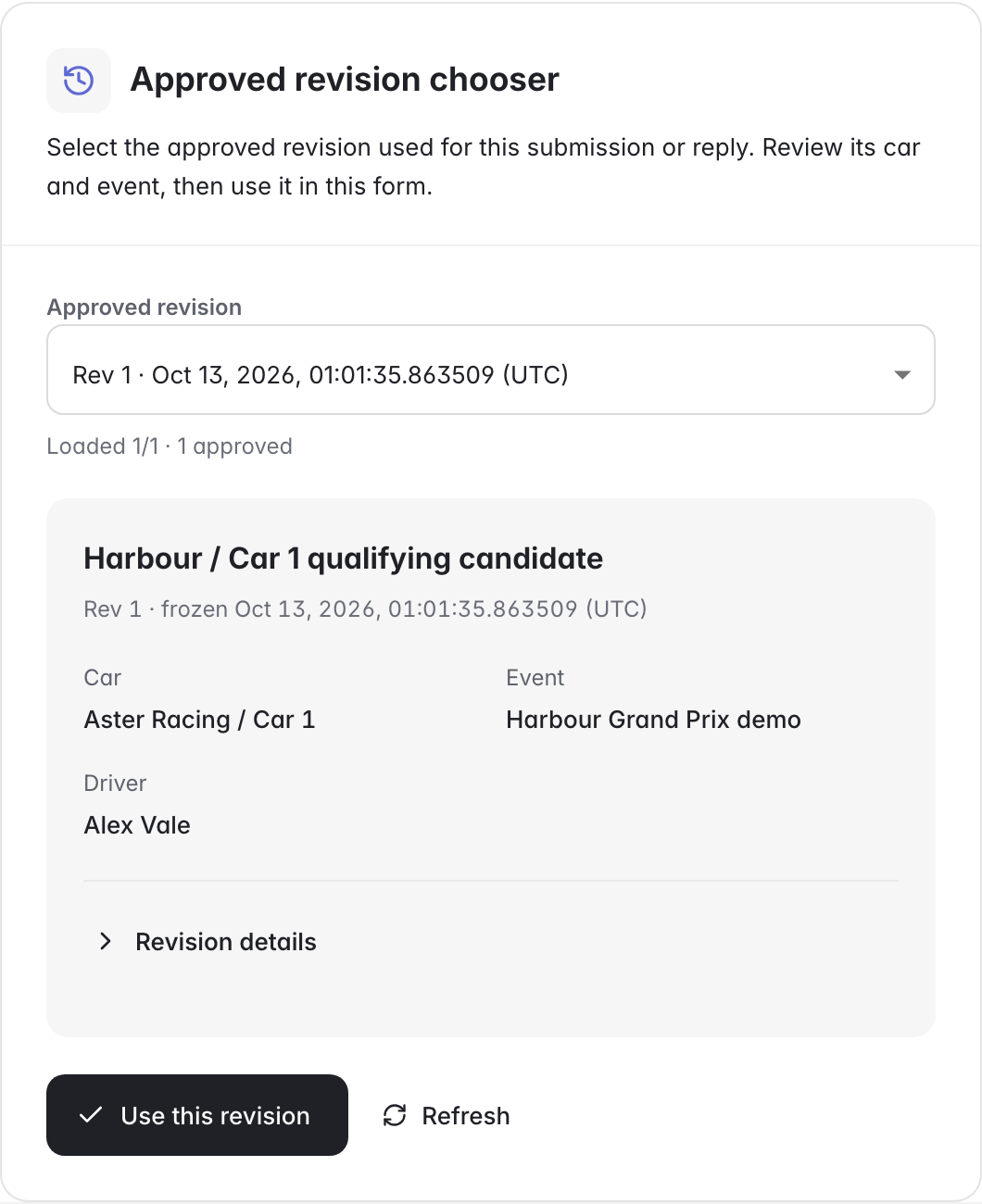 Click to enlarge ↗
Enter and review session, submission and work times in UTC. Recorded seconds and fractions stay intact across team timezones.
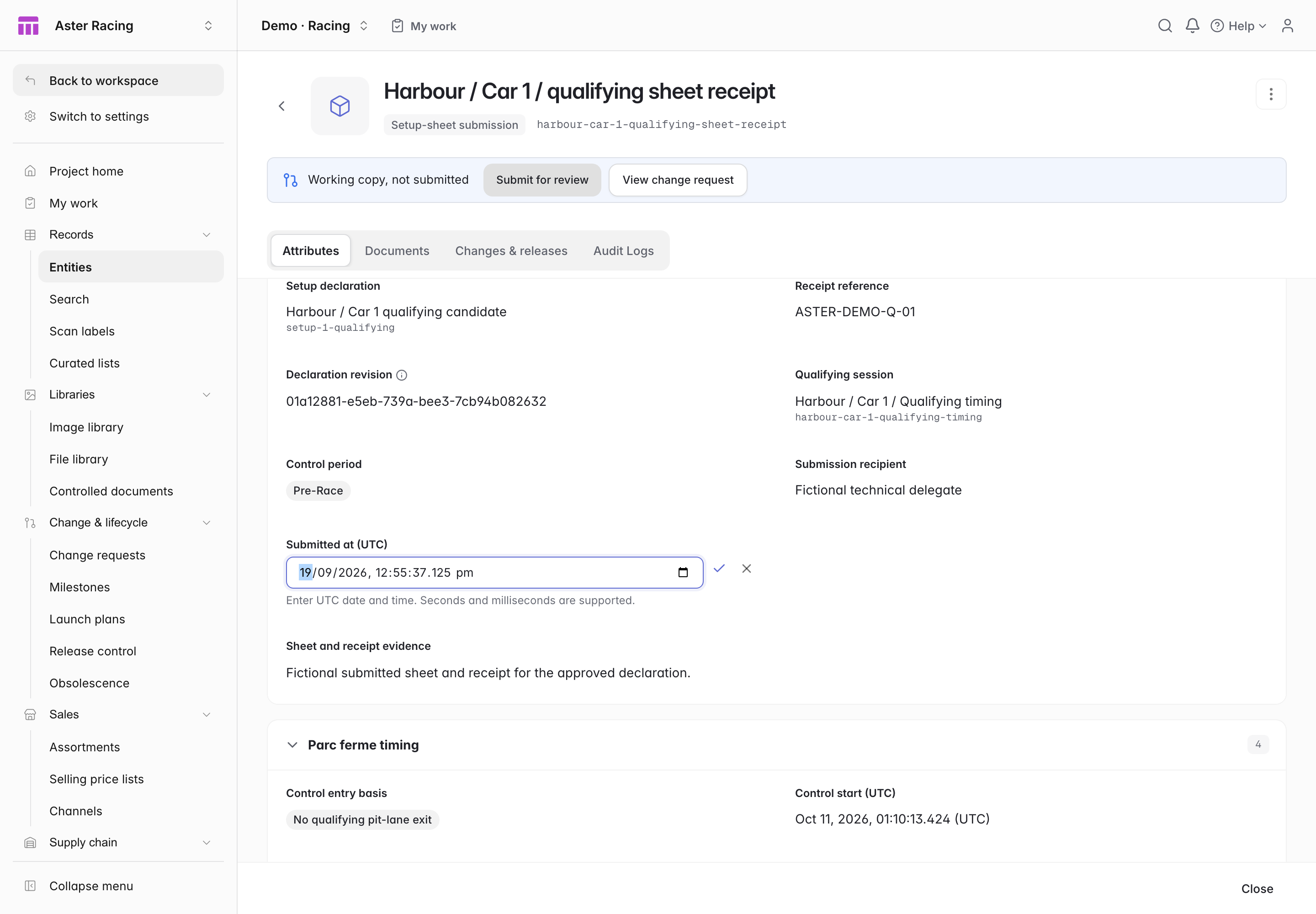 Click to enlarge ↗
Review the recorded decision and conditions beside the work. Expand the evidence and record details when you need them.
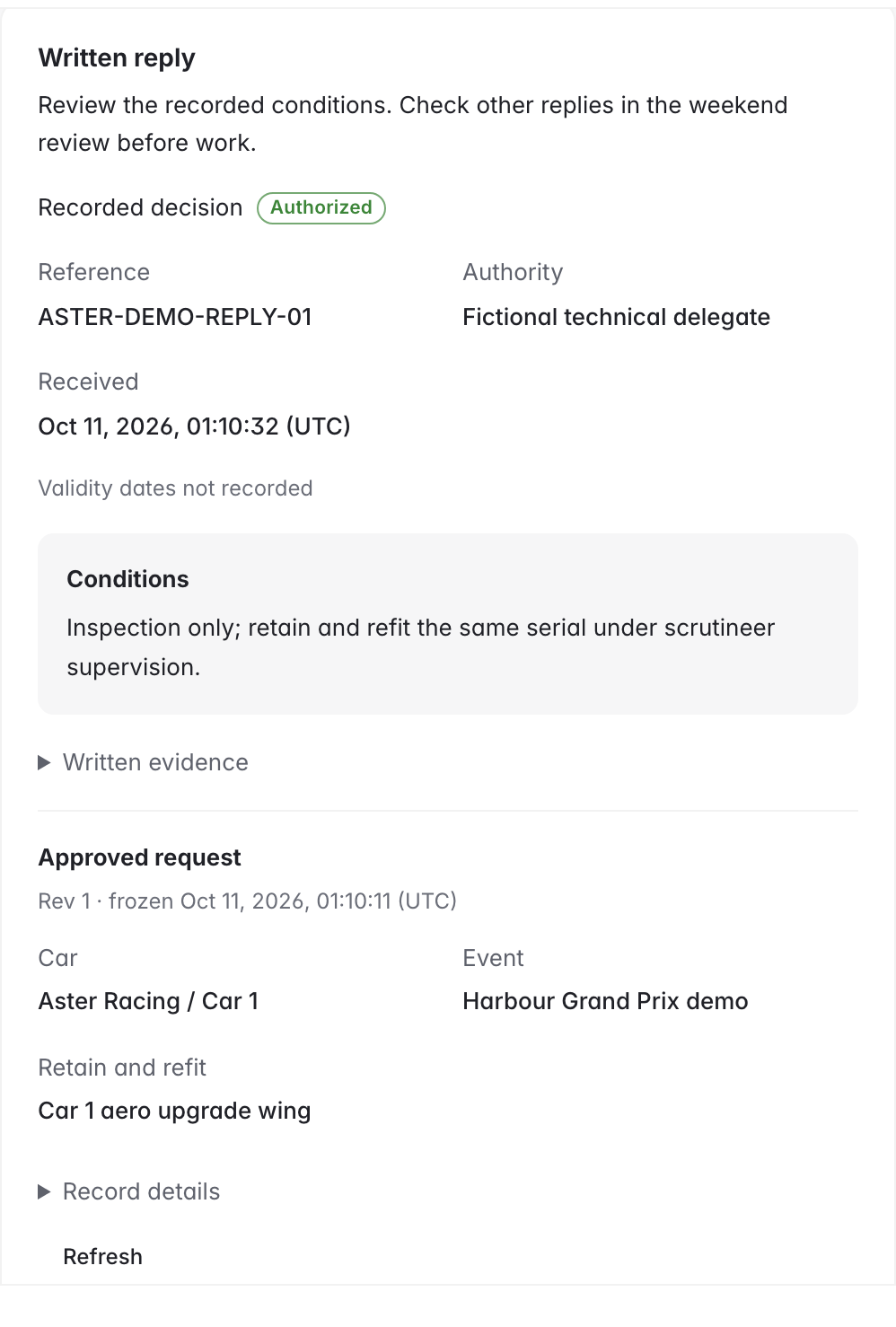 Click to enlarge ↗
Compare recorded ride heights, camber, torsion rates and control maps. Read exact submitted and current values on your phone, and keep the submitted revision and missing evidence together in the JSON download.
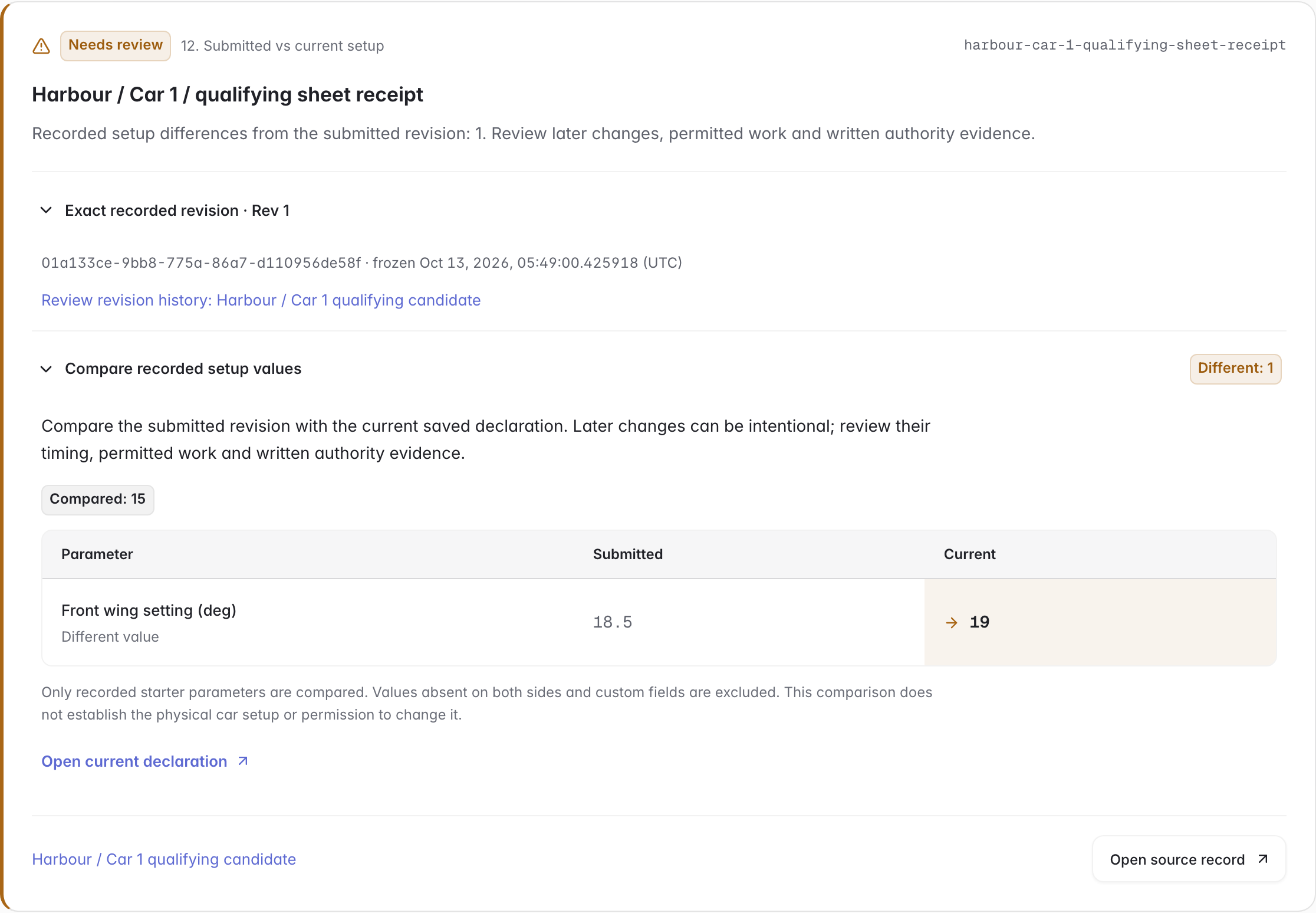 Click to enlarge ↗
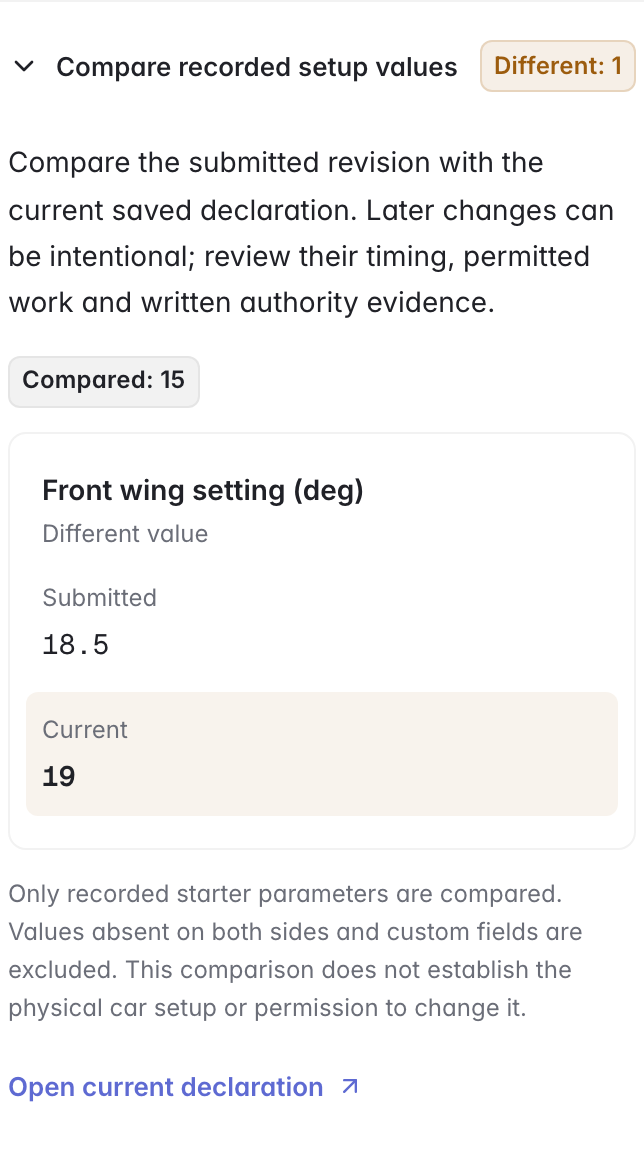 Click to enlarge ↗
 Click to enlarge ↗
Review the template against your available record capacity. Start with the structure, or include the fictional Aster Racing examples to explore the connections.
Open each Race Car and inspect its Car Specification, fitted component lines, serial mileage and driver-season allocation pools. Keep the design BOM and physical fitment connected.
Open a Car Setup Declaration, approve the intended revision and complete its required inspections before internal certification. Record the Setup-sheet Submission with that exact approved revision, recipient, UTC submission time and receipt evidence.
Open Race-weekend review for the intended car and event. Review the Evidence register, UTC timeline, recorded Authority Responses and work-order evidence; retain written scope, conditions and validity when deciding whether work may proceed.
Project Home separates Workflows, Work queue and Records. In Work queue, focus on work assigned to you, overdue, unassigned or blocked tasks, then open the native record, next planned step or exact unfinished prerequisite. Additional records and evidence gaps remain visible; completing a planning step does not complete an inspection or authorize sporting work.
Apply the model without example records, choose a smaller walkthrough, or include the full set of 593 fictional linked example records. The template preview checks your workspace’s remaining record capacity before application.
The video records actual approval, inspections, and internal certification in a prepared demo. The reusable template starts its setup declarations as drafts so your team can complete its own review and checks.
It checks submitted revisions, car/session identity, control timing, fitment and setup-value differences, component life and seals, season allocations, first use, session mileage, request/work drift, written responses, execution/custody evidence, communication acknowledgements and car cover/seal history. Filter by car or event and download recorded values as JSON. Missing evidence and incomplete scope remain visible.
The comparison shows recorded values in the submitted revision and the current saved declaration. Later changes can be intentional or permitted work. Review actual work timing, applicable rules, exceptions and written permission separately. Custom fields and values absent on both sides are excluded from the comparison.
Submissions, authority replies, official communication receipts and car cover/seal events start empty so your team can enter actual evidence. Workflow shortcuts carry references; settings, decisions and times remain your inputs. Select the exact approved declaration or request revision. The receipts and written replies in the screenshots are fictional entries added for the demonstration.
The Evidence register includes all submissions and replies in the car/event scope, even when the Findings view is filtered. Its UTC timeline preserves missing timestamps as unknown. Choose approved revision loads the linked source’s approval history and frozen scope before you explicitly use an ID. Work-order reply previews read the saved conditions and compare scope and timing; they do not authorize work.
The template demonstrates representative engineering workflows and links rule sources to evidence. People review inventory categories, exemptions, seals, allocations, penalties, and sporting permission.
Use the racing template as a starting point, then adapt the parts, checks, and review workflow to your team.
All team, driver, event, and evidence data is fictional. The model draws on selected 2026 FIA workflows; it carries no FIA affiliation or official certification. Internal approval and sporting permission are separate decisions.