
Size specs
Keep a size specification on the product record, with one row per point of measure and one column per size. Query the measurements alongside other product data.
Read the workflow docsGive the factory a clear specification for every size. Check sample fit, find measurements needing attention and preview the size split for a production order.
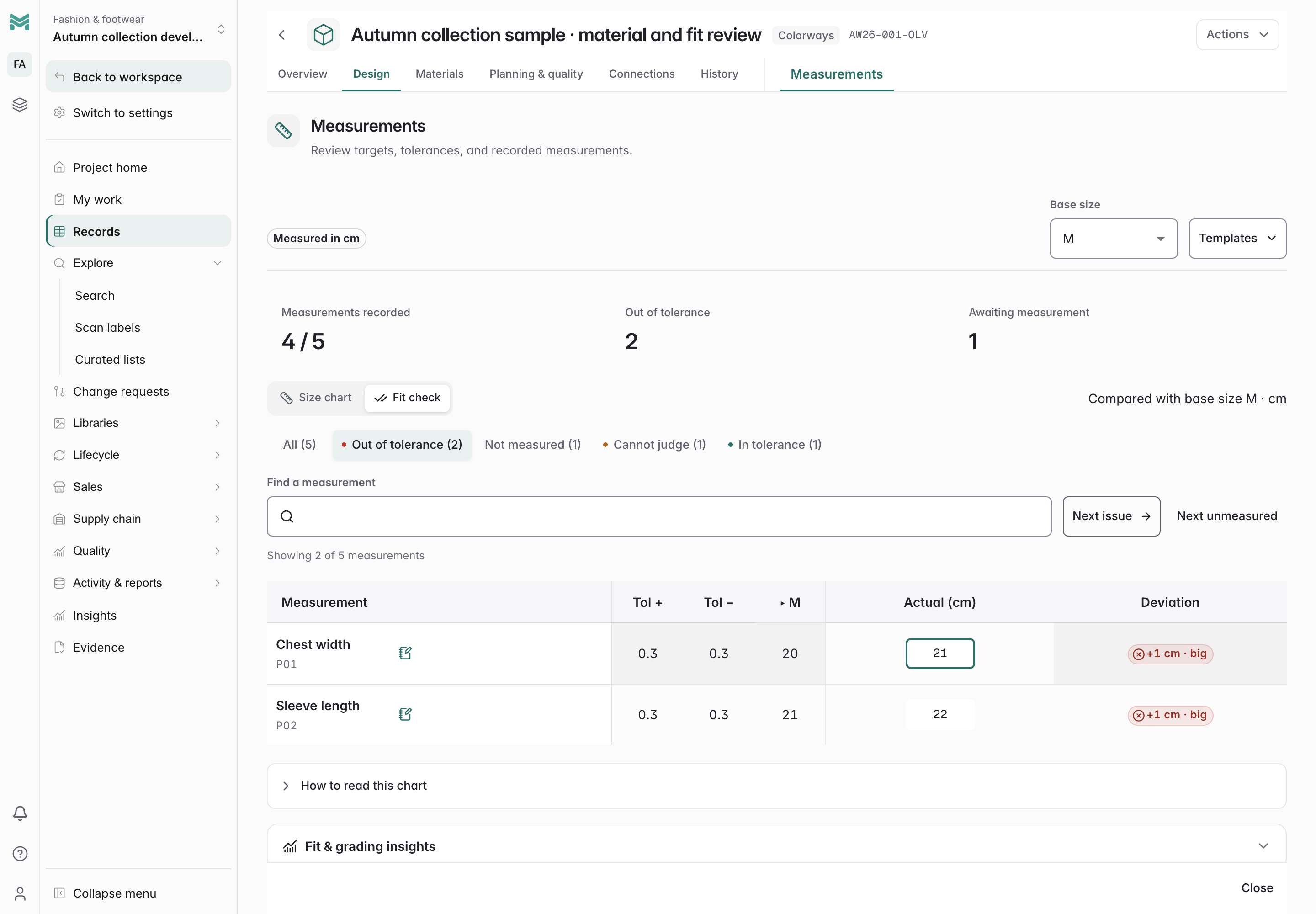 Click to enlarge
Keep a size specification on the product record, with one row per point of measure and one column per size. Query the measurements alongside other product data.
Read the workflow docsKeep upper and lower limits separate, including one-sided allowances. Missing targets or size tolerances remain unknown, so an incomplete specification does not become a passing fit result.
Build the chart once for a garment class and apply it to every style that uses it. Bulk-apply pushes it across a whole selection at once.
Grade a base size across the size run with the increments you define, so the graded chart is derived rather than typed thirteen times.
Record what came back from the factory against the spec and read the variance in place. Fit history stops living in email.
Switch between the graded size chart and a focused base-size fit check. Search measurement names, filter out-of-tolerance, unmeasured or unknown points, and jump to the next issue. Enter and Shift+Enter move through actuals without repeatedly reaching for the mouse.
Read the workflow docsImport or paste CSV/TSV actuals into a sample or test review. Resolve unknown names, duplicates and invalid values, preview the changes and apply the valid batch to the working draft before saving. Blank values clear listed measurements; omitted points retain their current values.
Read the workflow docsPlot check-round characteristics against their captured limits, inspect summary statistics, open the underlying check and evidence, and export a selected series. Units, specification definitions and inspection contexts stay separate; older measurements are explicitly marked as legacy.
Read the workflow docsPreview a whole-unit allocation from the order total and ratio in the configured size order. Fill the working quantities, adjust individual sizes or reset to the saved split, then explicitly save the curve. Per-size quantities and the total stay visible before the allocation is kept.
Read the workflow docsExplore connected product work through actual ManyRows screens and example data.
Start with your product model, connect the records, and bring your team into the same workflow.