Assortment targets, quantities and briefs
Plan product quantities, set range targets, describe missing concepts in briefs and link them to planned products. Review quantities and financial scenarios alongside current product evidence; curated record lists keep their own workflow.
Read the workflow docs →Material requirements
Explode an order’s BOM into exact and gross material quantities, with wastage included in gross demand. Purchased assemblies are sourced whole; their internal parts are excluded from procurement demand.
Read the workflow docs →Saved net material plans
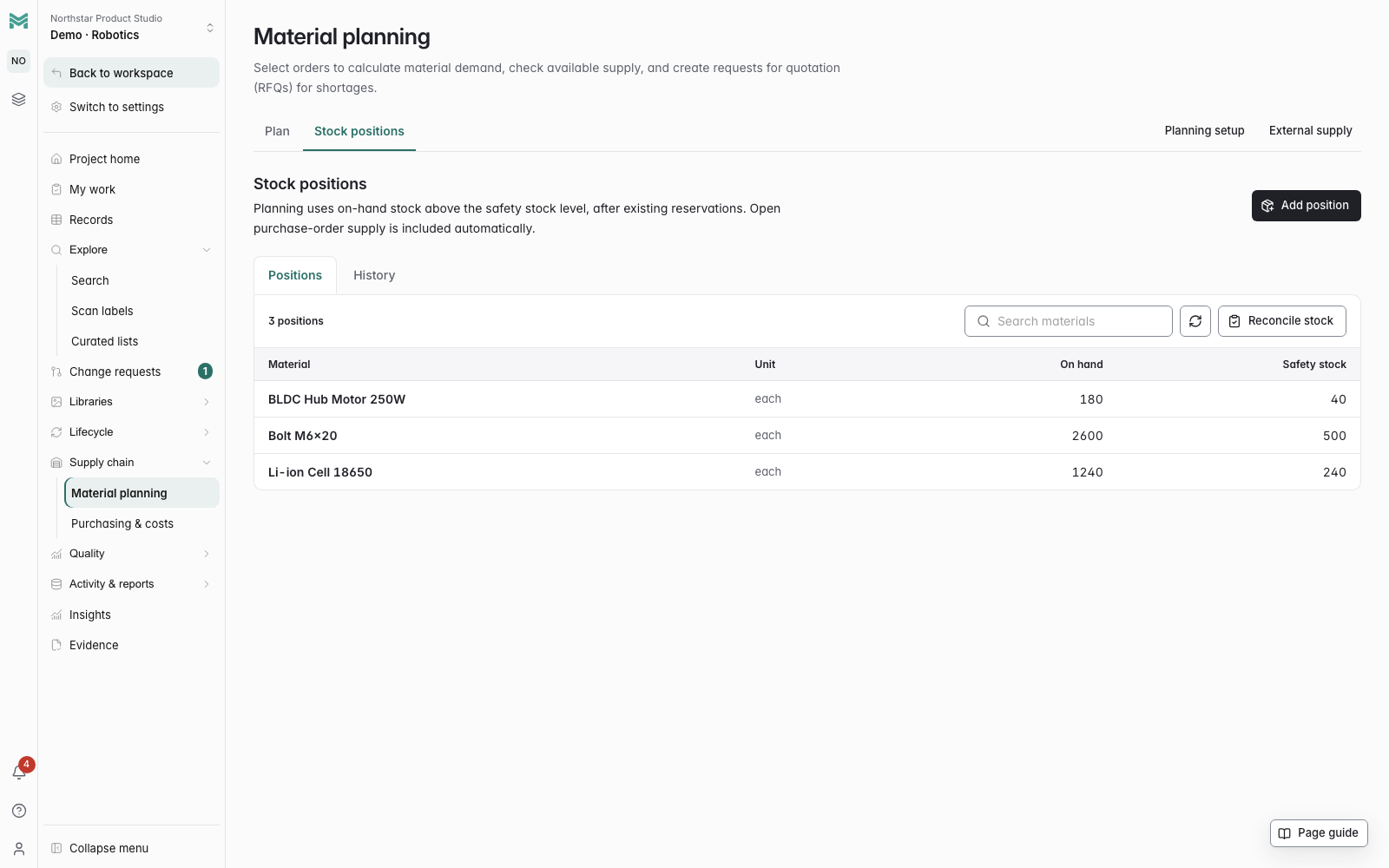
Combine demand across orders with unit-specific stock, safety stock, active reservations and dispatched purchase supply. Review shortages, save the planning basis and explicitly reserve supply or start RFQs. Retained reports preserve the original figures and dates.
Read the workflow docs →Datum Source procurement CSV
Review a complete saved net plan and prepare a private CSV bundle for manual Datum request import. Keep captured whole buying quantities, dates and explicit part/revision/unit mappings. Review the destination units before importing once; live-account acceptance remains pending.
Read the workflow docs →Formula batch material demand
Review explicit formula outputs, yields and fixed or variable input quantities in a batch plan. Preserve the ingredient demand and its units for sourcing; incomplete or unsupported formulas remain unresolved.
Read the workflow docs →Purchasing units and pack multiples
Define each material's stock unit, buying unit and explicit conversion factors. Convert consumption before net planning, then round purchasing to configured pack multiples. Saved plans and RFQs retain buying quantities, units and pack excess.
Read the workflow docs →Intermediate production-lot planning
Configure the consumed output and lot amount for each intermediate formula. Combine incoming demand, account for yield and round to whole production lots, then expand variable consumption and fixed setup per lot. Save stage outputs and procurement quantities together.
Read the workflow docs →Reviewed ERP supply in material plans
Import confirmed Odoo purchase supply, net receipts and company-owned stock through a separately reviewed local reconciliation. Material plans use the captured quantities with reservations and need-by dates, retaining source receipts and the last import time.
Read the workflow docs →Reviewed NetSuite BOM handoff
Compare released engineering or explicitly selected retained manufacturing BOMs against NetSuite with exact five-place quantities and selected revision date checks. A separate engineering-only handoff stages integer BOMs as new inactive revisions with original receipt recovery. ERP activation remains a separate review.
Read the workflow docs →Order-free explosion
Run the same explosion against a bare item with a quantity you type. Useful long before an order exists, when you are still quoting.
Read the workflow docs →Time and Action calendars
Milestone plans anchored to a date that matters — ship date, launch — with the rest counted back from it. Move the anchor and the plan moves with it.
Read the workflow docs →Dependencies and status
Milestones depend on other milestones, and a status engine keeps every one current: unscheduled, upcoming, due soon, overdue, or done.
Milestone workbench
Review milestones across the project in one board. Find overdue work and upcoming deadlines across products.
Project work queue
Find the next action across installed industry workflows. Focus on work assigned to you, overdue, unassigned or blocked tasks; open the native form, planned step or exact unfinished prerequisite. Coverage gaps stay visible while more records need checking.
Read the workflow docs →Reviewed launch plans
Group milestones across records with stages, dependencies and required revision, document, inspection or requirement evidence. Review blockers and supported planned dates, retain historical snapshots, and export the full plan from the signed-in dashboard.
Read the workflow docs →Manufacturer profiles
A rich single-page record per trading partner: identifiers, classification, revenue, locations and contacts, in tidy field groups, ready on day one and reshapeable to fit your business.