Robotics

The robot ships. Then it keeps running.

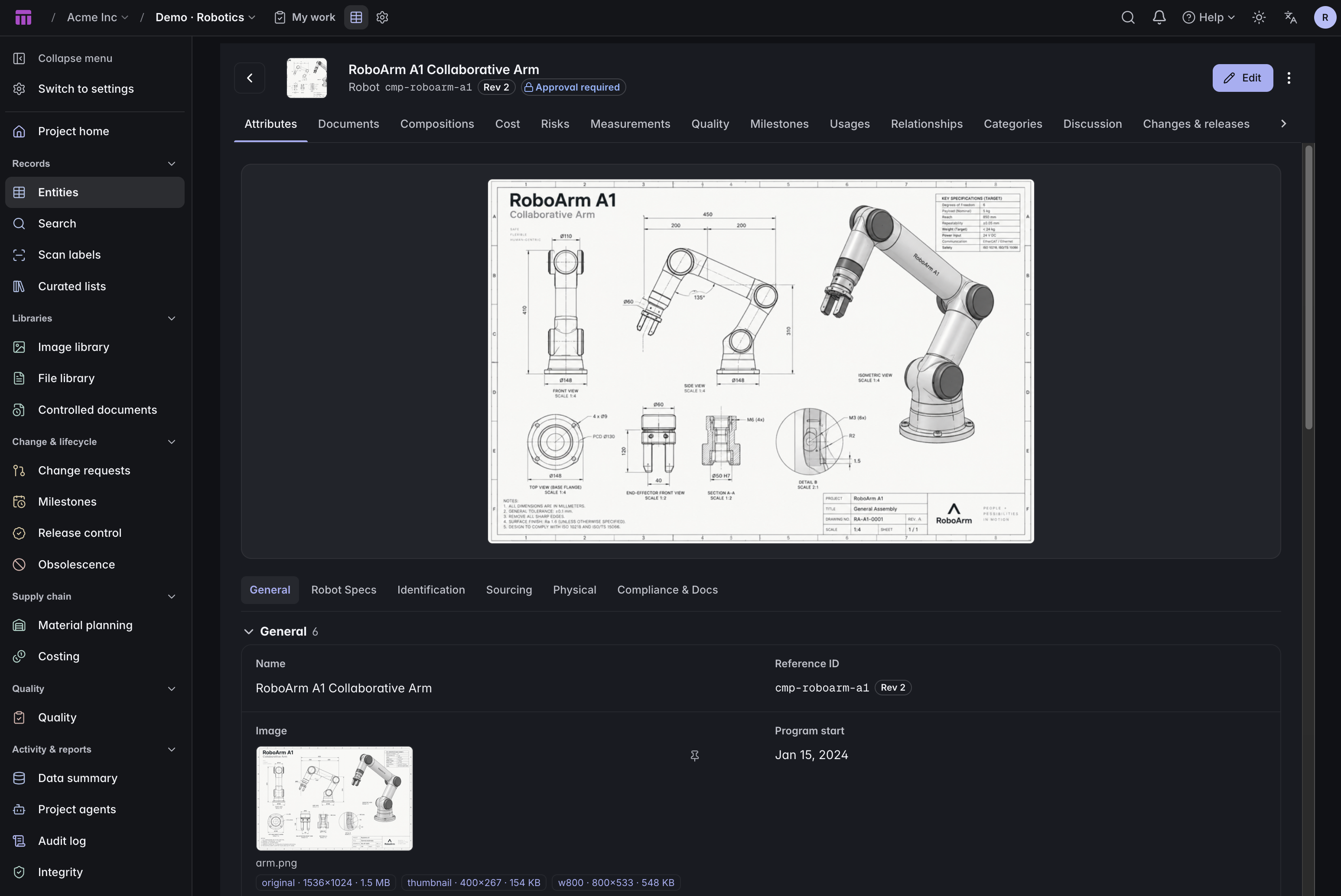
Most PLM stops at the design: a bill of materials, a revision, an approval, done. But a robot's expensive years start after it leaves the building: duty hours, worn drives, a gripper replaced after a collision, a firmware build nobody can quite account for. ManyRows models both halves, and keeps them apart on purpose.

Two records, not one

The design, and the machine

These get conflated constantly, and the cost shows up two years later when nobody can say which serial got the revised harness. So they are separate types, related but independently versioned.

The design

Robot

The model you sell. One record, one BOM, one revision history.

  • A multi-level bill of materials, quantitied, down to the fastener
  • Where-used in both directions: which assemblies eat this part
  • Total mass rolled up the tree, and build lead time along the critical path
  • Change-controlled: a shippable robot does not change without an approval
The machine

Robot Unit

The one with a serial number, an owner, a site and a service history.

  • Serial, customer, commissioning date, firmware and software revision
  • A duty-hours limit, and every service visit logged against it
  • Remaining life computed from the visits, never stored, so it cannot drift
  • Not change-controlled: logging service hours should not need an approval
Remaining life

Duty hours, counted the honest way

Give a unit a duty-hours limit. Log the hours at each service visit. Remaining life is worked out from those visits every time you ask. It is never written down anywhere, so it cannot quietly disagree with itself. Trash an event and the total drops the same second.

ok
Under 80% of the duty limit. Nothing to do.
warning
At or past 80%. Time to schedule the overhaul.
exceeded
Past the limit. Remaining life reads negative, which is the number an operator actually needs.
unknown
The unit is lifed but its limit is blank. We say so rather than reporting ok, which would be a confident lie.

The same mechanism lifes anything with a bounded amount of use in it, not only a whole robot: a harmonic drive, a battery pack, a cable harness.

Structure

What it is built from, and what you send a technician

Two composition planes over the same catalogue. One is the build; the other is the box of spares. Neither pretends to be the other.

The manufacturing BOM

Component Usage

What the robot is built from. Quantities, find numbers, reference designators, process step. This is the structure costing, mass rollup and lead time all resolve against.

The spares plane

Service Kit Line

What a field technician carries. Held apart from the build structure on purpose: the recommended-spares list and the as-built BOM evolve independently, and merging them makes both wrong.

One click

A working factory, already populated

The Robotics Factory starter is not an empty schema with three example rows. It is a populated project you can click through before deciding anything.

  • 11entity types, from supplier to service event
  • 178seed records, including 44 parts and 71 BOM lines
  • 2robot models: a warehouse AMR and a collaborative arm
  • 6serialized units with real service histories

Plus a cost sheet, a mass rollup, a critical-path lead time, and a check vocabulary shaped for machines: acceptance test, calibration, burn-in, safety validation.

When this is the wrong tool

If you need live telemetry off deployed machines, buy a fleet platform; we hold the engineering record, not the data feed. If your product is a regulated medical device and you are buying evidence for an audit, look at a vendor built around that. We make no regulatory certification claim. And if you are already standing on a platform your whole business runs from, the adjacency may be worth more than anything on this page. We would rather tell you that now than after a migration.

Questions

Is this fleet management software?
It is the engineering record behind a fleet rather than a live feed from one. Each unit holds its build, its configuration, its duty hours and every service visit logged against it. That history explains why a machine is the way it is, and it is settled in engineering rather than measured on the floor. Most teams run both, and they answer different questions.
Do you handle firmware and software versions?
Yes. Each unit carries its own firmware and software revision, so you can answer which build is running on which serial. They are ordinary fields on the record, which means you can filter the fleet by them, and every change to one shows up in that unit's history next to the service visit that made it.
How is a Robot Unit different from a Robot?
Robot is the design: one record, one BOM, the thing you version and approve. Robot Unit is a machine that exists, with a serial number and a history that starts diverging from the design the day it ships. Most PLM only models the first one, which is why the second usually ends up in a spreadsheet.
Can autonomous mobile robots and robot arms live in one project?
Yes, and the starter ships both: a warehouse AMR and a collaborative arm, sharing a Component base type and a parts catalogue. They are different products with different BOMs, not two copies of the same schema, which is the case a rigid vertical tool tends to handle badly.
Do we have to use the template as it comes?
No. It is a starting point, not a schema you are stuck with. Every type, field, group and rollup in it is yours to rename, remove or extend, and if it is closer to wrong than right for you, start from an empty project instead. The template exists to save you the first afternoon, not to decide your data model.
What does it cost?
It is on the pricing page and you can work out your bill without talking to anyone. That is deliberate, and it is one of the clearer differences between us and most of this category.
Start free

Open the robotics starter

Spin up a project, pick Robotics Factory, and you are looking at a populated BOM in about a minute.

Start free Every feature What is PLM? Compare