
Spreadsheet BOM vs BOM software: when should you switch?
When does a spreadsheet stop being enough for a bill of materials?
A spreadsheet can work well for a simple BOM with one owner and infrequent changes. Consider BOM software when shared components, multiple assemblies or revision approvals make it difficult to establish what is current, where a part is used and which version was released.
Compare the work your team actually needs to do
Scroll sideways to compare
| Task | Spreadsheet BOM | Connected BOM software |
|---|---|---|
| Maintain a short parts list | Quick to set up, easy to share and familiar to most teams. | Requires an initial product model and record setup. |
| Reuse an assembly | References and formulas can work, but need a consistent convention across files. | Reference the same assembly record from several parent products. |
| Find affected products | Search files or maintain a separate where-used calculation. | Follow component relationships back to their parent assemblies. |
| Control changes | Combine protected sheets, saved versions and a separate approval process. | Evaluate tools for named reviewers, approved revisions and retained history. |
| Review product cost | Flexible formulas; someone must keep prices, units and quantities aligned. | Evaluate rollups against the selected sources, quantities, currencies and dates. |
Keep the spreadsheet while it is still easy to trust
A single prototype, a small parts list and one person making changes may not need a new system. A spreadsheet is useful for exploring a design, calculating an early estimate and sharing a one-off list with a supplier.
Give each item a stable part number, make units explicit and assign an owner. Save the version you send out and record the decision behind a change. Those habits help now and make a later migration easier.
Look for repeated reconciliation work
Row count alone is a weak reason to switch. A small BOM reused across several products can create more coordination work than a much longer standalone list. Pay attention to the questions that require opening multiple files or asking the person who last edited them.
- Can two people identify the same current revision without asking each other?
- Can you find every assembly that uses a component before replacing it?
- Can you reproduce the version and quantities that were released?
- Can you explain a cost change without reconciling copied price columns?
- Can you show who approved a change and which revision they reviewed?
Move one representative product first
Choose a product with a shared subassembly and a real sourcing decision. Importing every historical workbook before testing the workflow makes it harder to tell whether the model is right.
Treat record import and BOM construction as separate things to verify. A table of parts does not establish parent-child relationships, line quantities or an approved revision. In ManyRows, CSV record import lets you map columns and review duplicate codes; build or import the structure through the relevant BOM workflow.
- Separate products, assemblies, components and suppliers; assign stable codes and units.
- Clean duplicate records and identify which assemblies are genuinely shared.
- Import records, connect the BOM and compare quantities and totals with the source workbook.
- Review one component change, inspect where-used and retain the resulting approved revision.
- Agree which system owns each field before the rest of the team starts editing.
Illustrative workflow
Example: one wheelset, several bicycles
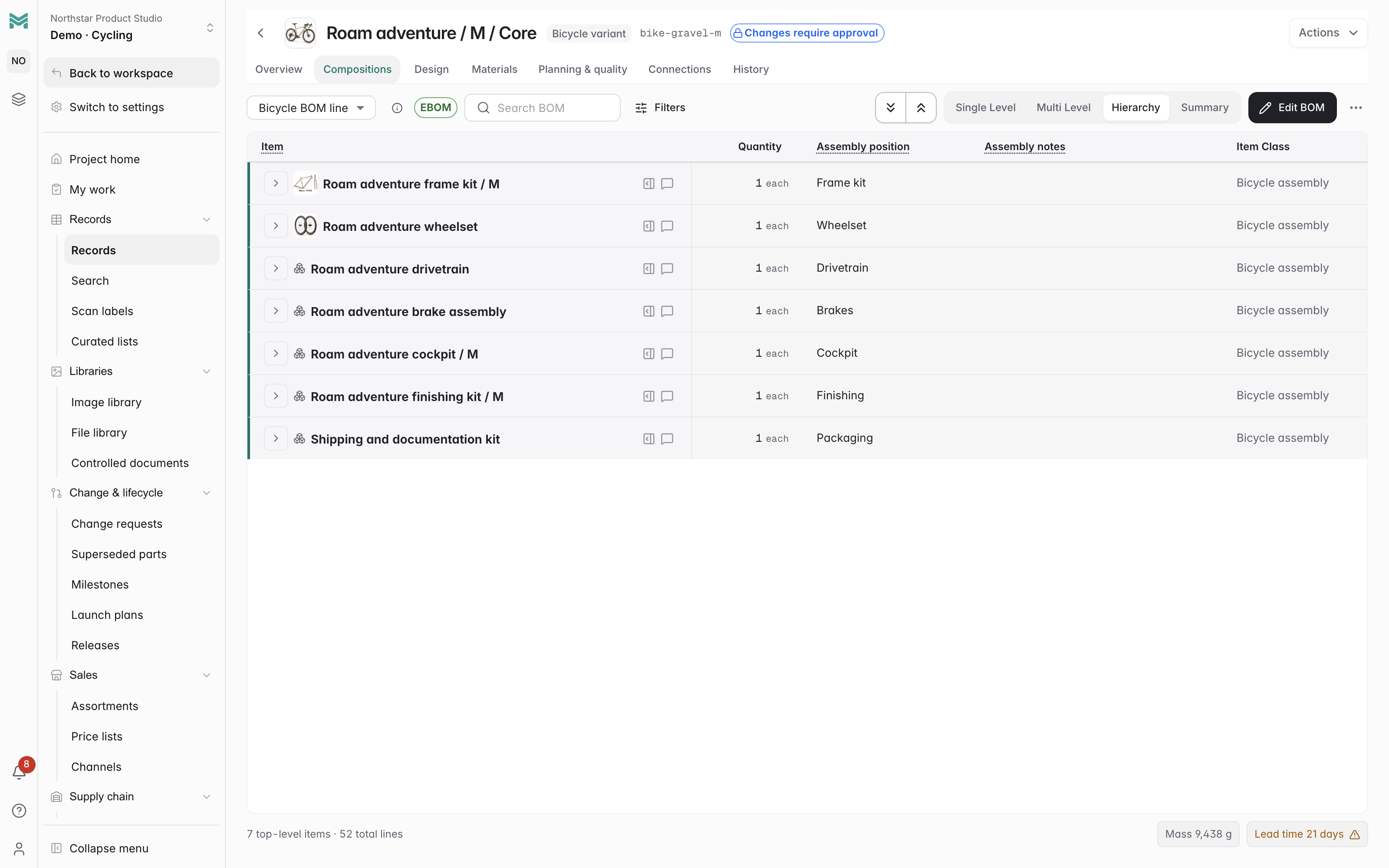
Imagine a wheelset shared by three bicycle models. Copying its parts into three workbooks creates three places to update the rim, spoke count and supplier price. A shared assembly record gives the team one wheelset definition and relationships to each bicycle.
A live shared assembly can affect several current structures. Retain a released configuration when you need to preserve the exact historical component revisions; a reference to today's assembly does not freeze yesterday's build. The ManyRows cycling walkthrough shows shared nested assemblies using fictional product data.
Where ManyRows fits
ManyRows is worth evaluating when your team needs connected part records, multi-level BOMs, where-used, supplier costs and reviewed changes. A spreadsheet may remain the better starting point when the parts list is simple and the coordination work is small. Test the same product in both before moving the rest of your data.
Common questions
Can I keep using spreadsheets alongside BOM software?
Yes. Exports and one-off analyses can still be useful. Agree which system owns part identity, structure and revision decisions, and check exported data against its source before using it for a new decision.
Does importing a spreadsheet create a released BOM?
No. Verify the item mappings, structure, quantities and units first. Review and release are separate workflow decisions; importing rows does not supply those approvals.